3. Operating the system
3.1 Mimic function
Settings > Basic settings > Controller settings > Display > LED mimic
Parameter no. Item Range
6082 LED mimic
Standard
Guided
Standard
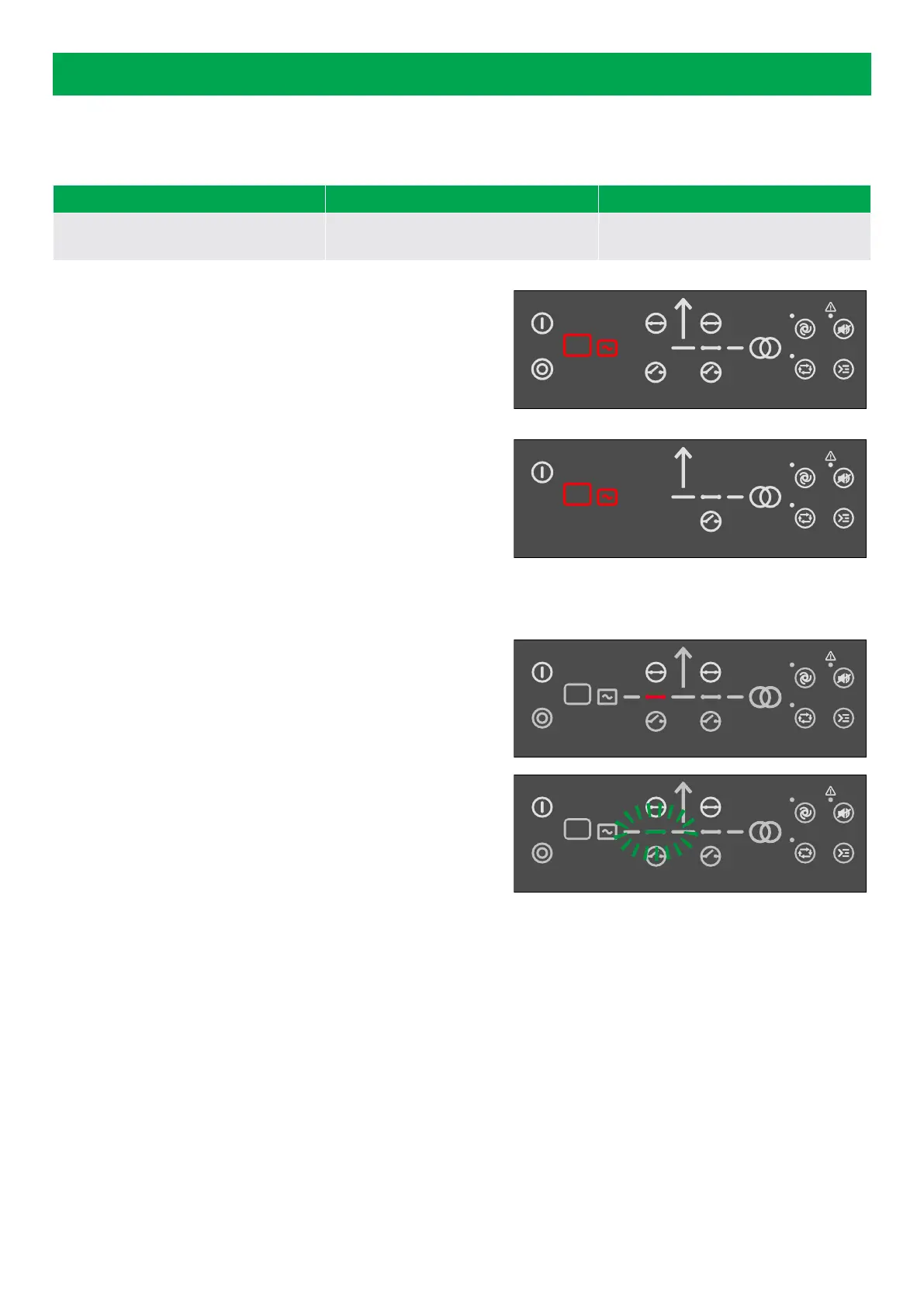
The control buttons and LEDs are shown.
If you the stop the energy storage system (ESS), the ESS symbols are
shown in red.
Guided
Active control buttons, LEDs, and the ESS symbols are shown, inactive
are not shown.
Example: The controller is in SEMI-AUTO mode, and the ESS is not
operating. The only possible action is to start the ESS, or open the
mains breaker. Therefore, only the start button, the red ESS symbols,
and the button to open the mains breaker are shown.
All Mimic settings
The breaker symbol is shown in red:
• Breaker position failure
• Breaker close failure
The breaker symbol flashes green:
• The controller is synchronising
• The controller is de-loading
3.2 Running modes
The controller has four running modes:
• AUTO (remote): The controller operates automatically, and the operator cannot start sequences manually.
• SEMI-AUTO (local): The operator must start all sequences. You can do this with the buttons, Modbus commands, or digital
inputs. When you start the ESS, it operates at the nominal values.
SEMI-AUTO mode
Use external signals to operate the controller in SEMI-AUTO mode.
Give an external signal with:
1. Buttons on the display
2. Digital inputs*
OPERATOR'S MANUAL 4189341343A EN Page 13 of 36



 To Next Page