Status text Condition
STOP DG(s) IN ###s Genset stop timer: Load dependent start/stop.
SYNCRHONIZING MB MB is synchronising.
TOO SLOW 00<------------- ESS frequency is less than the BB frequency.
-----------> 00 TOO F ESS frequency is more than the BB frequency.
UNEXPECTED GB ON BB A stopped genset has a closed GB.
VOLT/FREQ OK IN BB Hz/V OK timer.
VOLTAGE/FREQUENCY OK The voltage and frequency are okay, and the timer has run out.
WARM UP RAMP
Warm up ramp is active. The available power is limited until the pre-defined temperature is
reached, or when the input that activated warm up ramp is deactivated.
---xx-------- >00< ------------
Generator is synchronising. The "xx" marks the actual generator phase angle position in the
synchronisation. When the "xx" is aligned over the 00 centre, the generator is synchronised.
5.5 Service view
You can use the service view to see the status of the controller. You can change the passwords in the service menu, but not the
other controller settings.
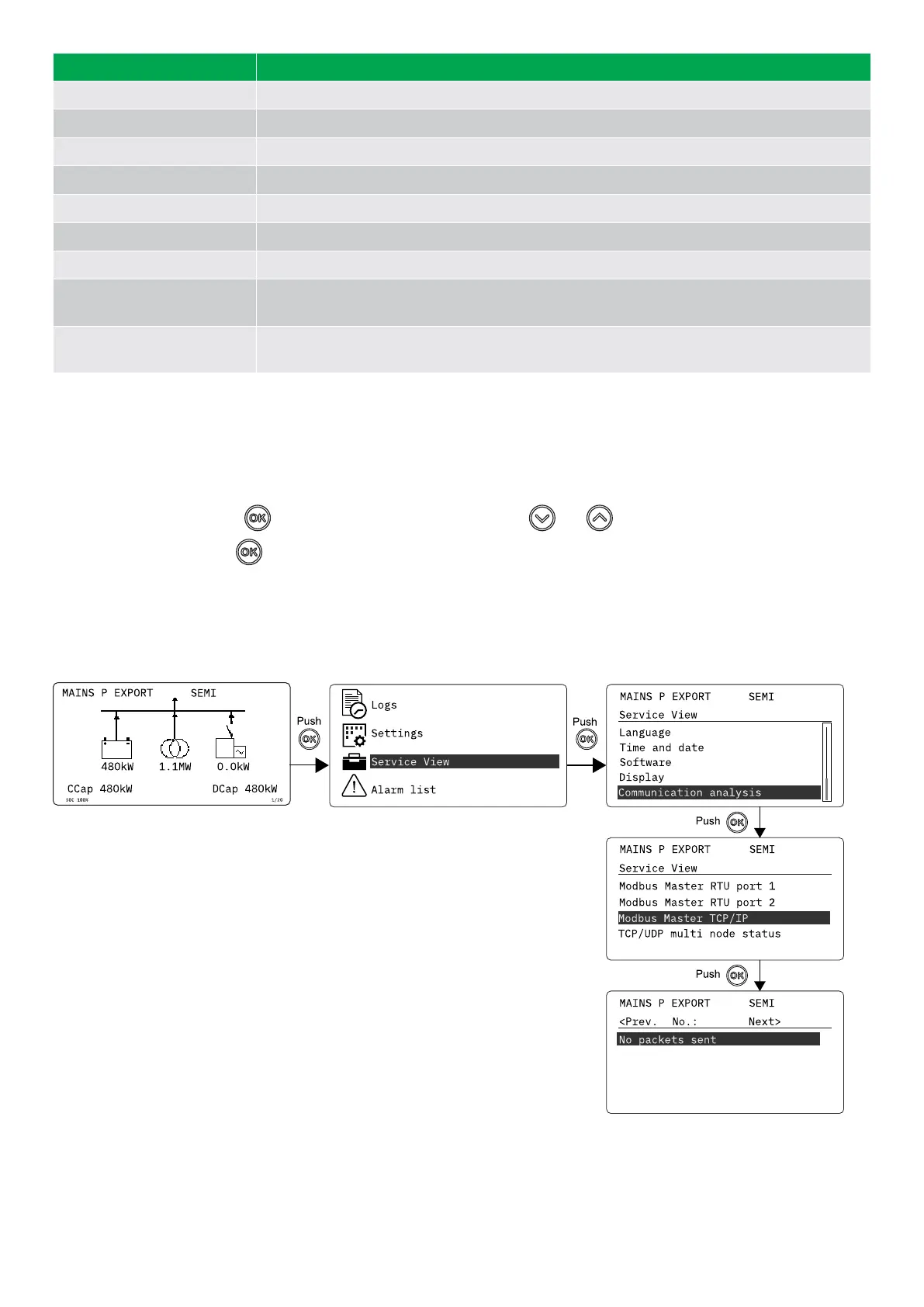
From the view menu, push the button and select Service View . Use the and buttons to go through the parameters in
the service view, and use the button to select the parameters.
Service view example
This is an example of how to find the configuration and operating details for Modbus Master TCP/IP in Communication
analysis.
OPERATOR'S MANUAL 4189341343A EN Page 32 of 36



 To Next Page