5. Menus
5.1 Menu structure
The controller has two menu systems, which can be used without password entry:
• The View menu system: Shows the operating status and values. The system has 20 configurable windows, that can be entered
with the arrow buttons.
• The Settings menu system: The operator can see the controller's parameters. A password is necessary to change the
parameter settings.
5.2 Settings menu
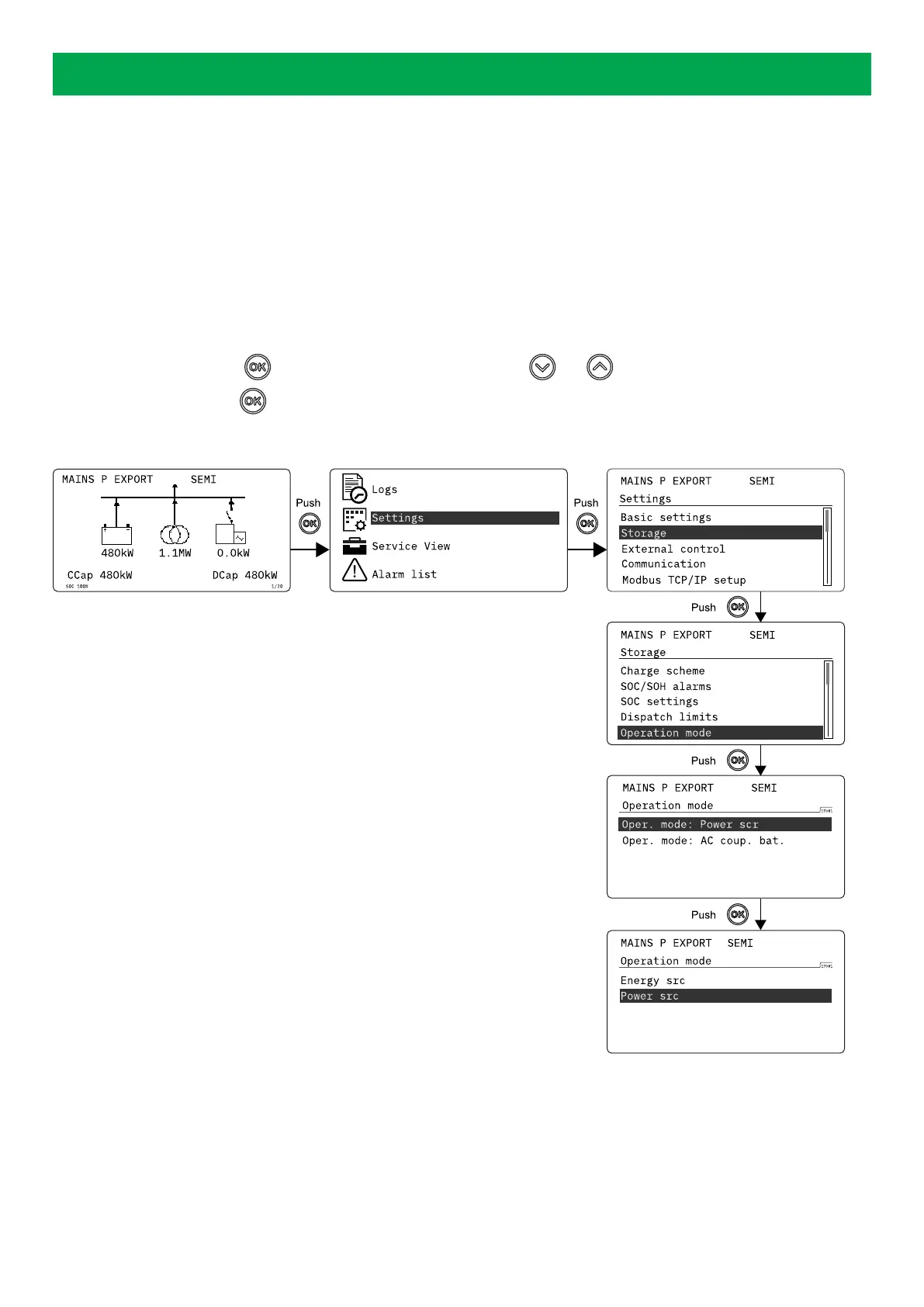
You can configure the controller in the settings menu and you can also find information, which is not available in the view menu.
From the view menu, push the button to find the settings menu. Use the and buttons to find the different settings
parameter and select with the
button.
Settings menu example
OPERATOR'S MANUAL 4189341343A EN Page 24 of 36



 To Next Page