5.5.1 Communication troubleshooting
In Service View > Communication analysis you can see:
• Modbus Master RTU port 1
• Modbus Master RTU port 2
• Modbus Master TCP/IP
• TCP/UDP multi mode status
For each selection, you can see configuration and operating details. For example, for Modbus Master TCP/IP you can see:
• Details for each connected device (use <Prev. and Next> to navigate)
• IDs, Rx and Tx info, IP address, connected (true or false), and so on.
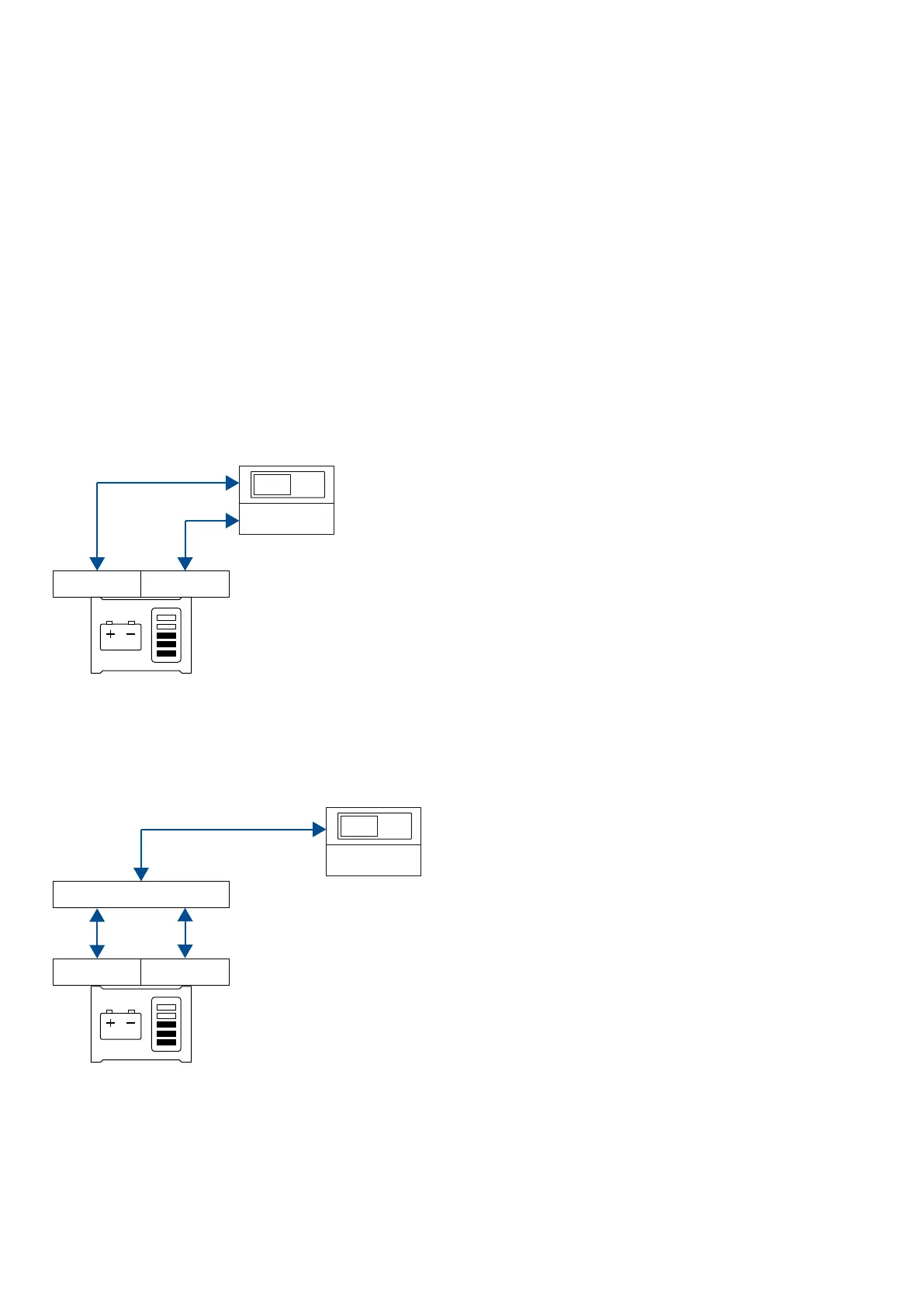
The ASC 150 Storage controller controls the ESS with communication to a battery management system (BMS), a battery control unit
(BCU), or a power conversion system (PCS).
Communication with the battery management system (BMS) and power conversion system (PCS)
If the ESS does not have a BCU, the ASC 150 Storage controller communicates with the BMS over Modbus. The ASC also
communicates with the PCS over Modbus. This examples shows a simplified version of this type of communication.
Communication with the battery control unit (BCU)
If the ESS does have a battery control unit (BCU), the ASC communicates with the BCU over Modbus. This is a simplified example
of how this type of communication works. Troubleshooting is only for communication between the BCU and the ASC controller since
communication between the BCU and BMS, and the BCU and PCS is proprietary.
Modbus
BCU
BMS PCS
ASC Storage
5.6 General shortcuts
You can see your configured shortcuts in the General shortcuts menu. If you have not configured a shortcut, then the menu is empty.
Use the shortcuts when the controller is in SEMI-AUTO mode.
OPERATOR'S MANUAL 4189341343A EN Page 33 of 36



 To Next Page