More information
See General shortcuts in the ASC 150 Storage Designer's handbook for how to configure the general shortcuts.
On the controller
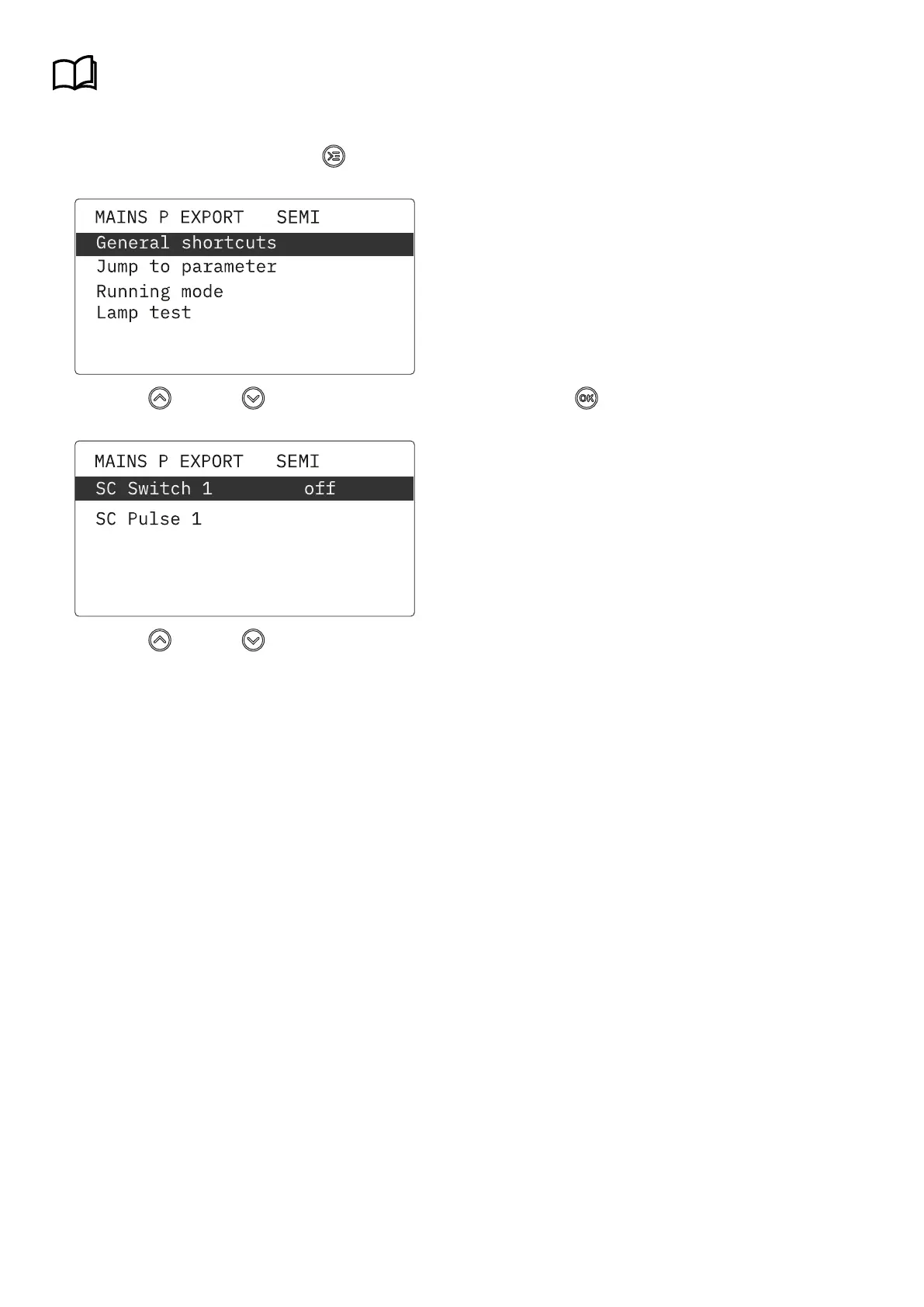
1. From the view menu, push the Shortcut
button to see the menu.
2. Use the
Up
and Down buttons to go to General shortcuts , and push the button.
3. Use the Up and Down buttons to go to select a shortcut.
OPERATOR'S MANUAL 4189341343A EN Page 34 of 36



 To Next Page