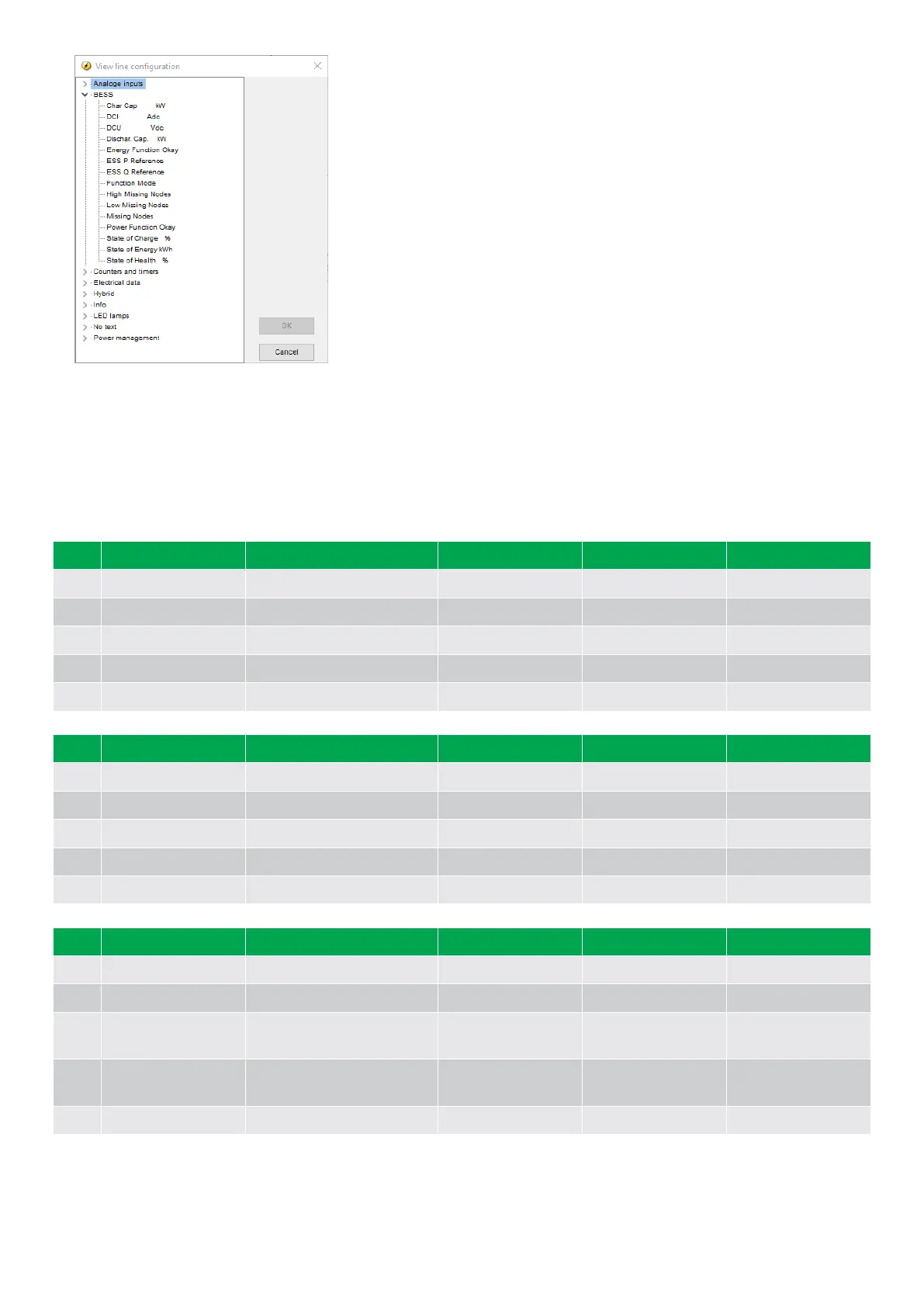
Display text
You can select five of the display texts for each display view.
5.3.3 Display views
The controller has 20 display views, and 18 of the views are pre-configured. You can configure the views with the utility software.
Line
View 1 View 2 View 3 View 4 View 5
1 Supervision Drawing ESS PkW QkVAR Synchroniser ES P 0kW P 0kW 0%
2 - State of Charge % - ES Q 0kvar Q 0kVAR 0%
3 - State of Health % - ES PF 0.00 ES f-L1 0.00Hz
4 - Dischar. Cap. kW - ES 0 0 0V ES f-L2 0.00Hz
5 Supervision Char. Cap. kW - BB 0 0 0V ES f-L3 0.00Hz
Line View 6 View 7 View 8 View 9 View 10
1 ES P 0kW ES UL1N 0V Angle BB-ES 0deg BB U-Max 0V Date and Time
2 ES Q 0kvar ES U-L2N 0V ES U-L1L2 0V BB U-Min 0V BB U-L1L2 0V
3 ES I-L1 0A ES U-L3N 0V ES U-L2L3 0V BB U-L1N 0V BB UL2L3 0V
4 ES I-L2 0A PF % ES U-L3L1 BB U-L2N BB U-L3L1 0V
5 ES I-L3 State of Energy kWh Energy Day 0kWh BB U-L3N 0V BB f-L1 0.00Hz
Line View 11 View 12 View 13 View 14 View 15
1 Multi Input 20 0 ESS P Reference DCU Vdc ES P L1 0kW ES Q L1 0kvar
2 Multi Input 21 0 ESS Q Reference DCI Adc ES P L2 0kW ES Q L2 0kvar
3 Multi Input 22 0 Energy Week 0kWh
Energy Function
Okay
ES P L3 0kW ES Q L3 0kvar
4 Multi Input 23 0 Energy Month 0kWh
Power Function
Okay
Low Missing Nodes Function Mode
5 P Mains Missing nodes MB Operations High Missing Nodes Ext. DG Pkw Qkvar
OPERATOR'S MANUAL 4189341343A EN Page 28 of 36



 To Next Page