5.2.1 Menu numbers
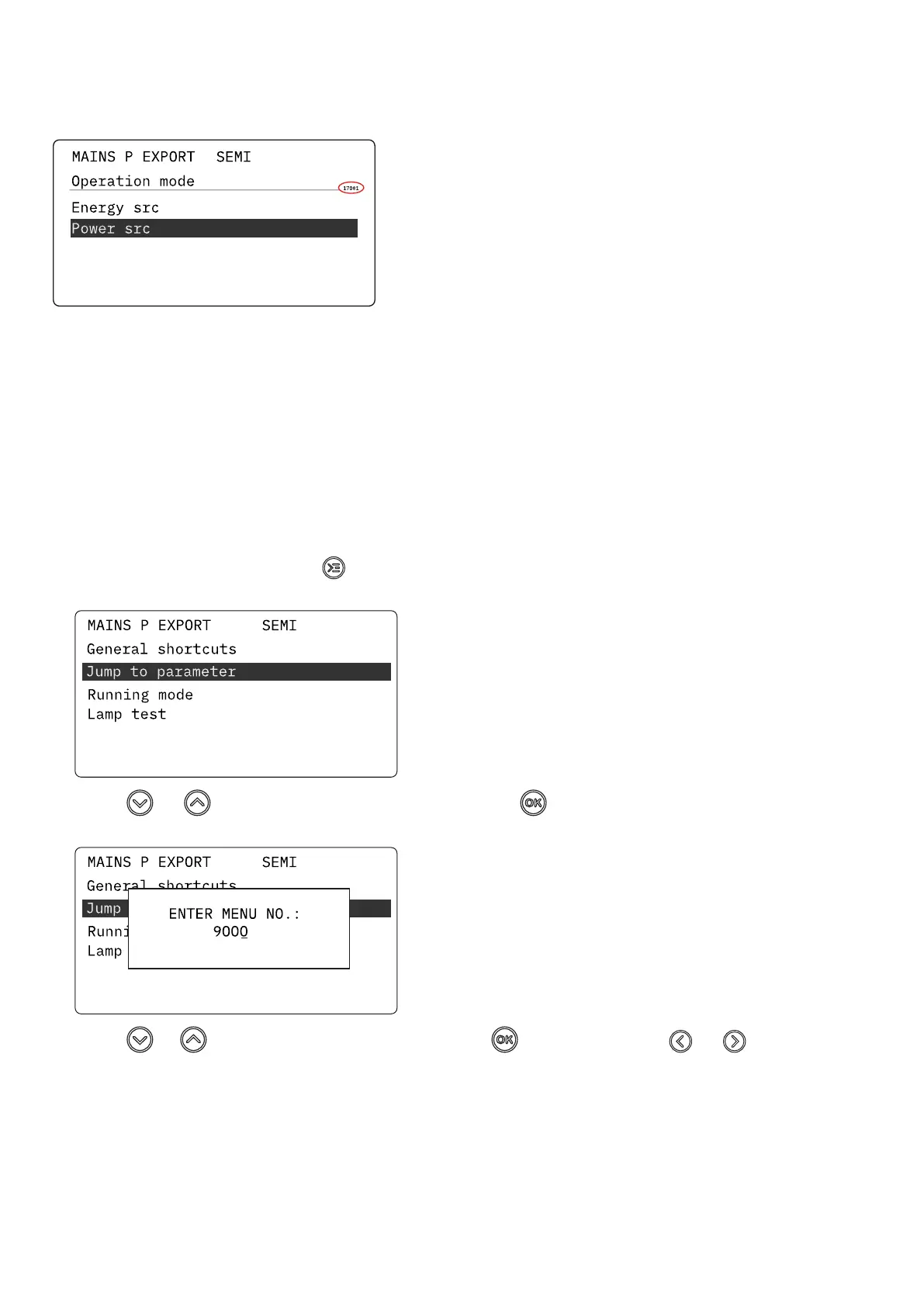
Each parameter has a menu number. You can find the number in the upper right corner on the display screen.
You can also find the menu number with the utility software:
1. Select Parameters from the vertical toolbar on the left.
2. Set the view mode to list. The view mode can be found in the left corner of the screen.
3. The menu numbers are in the Channel column.
5.2.2 The jump to parameter function
If you know the menu number for a parameter, you can use the jump to parameter function to go directly to the parameter.
On the controller
1. From the view menu, push the Shortcut button to see the jump to parameter function:
2. Use the and buttons to go to Jump to parameter and push the button.
3. Use the and buttons to change the numbers, and push the button to save. Use the and buttons to move to
the next number.
OPERATOR'S MANUAL 4189341343A EN Page 25 of 36



 To Next Page