How to configure trending
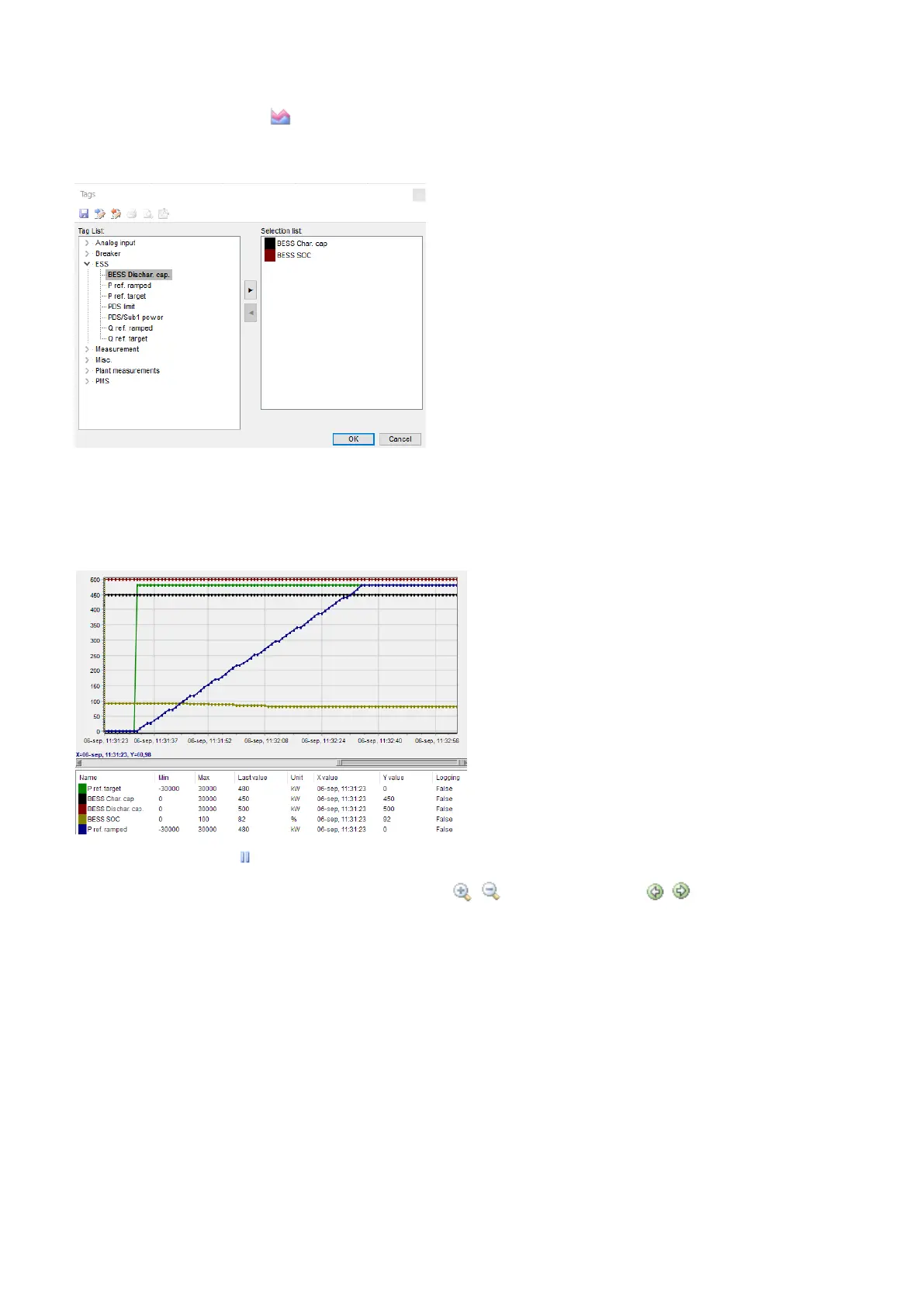
1. Click on Trending in the vertical menu on the left to see the trending page.
2. Click on Edit the trending tags .
3. In the pop-up window, select the data you want to trend.
4. Click OK to confirm your selection.
5. Click on the save button if you want to save the trending data to a .trend file.
6. The trending begins automatically when you have selected the data to trend.
7. You can see the trending data at the bottom of the page. The numerical values are also shown here.
8. Click on the pause button to pause the update of the trending window. The trending continues in the background.
9. When the trending is paused, you can use the zoom buttons and the scroll buttons to navigate the trending
graph.
OPERATOR'S MANUAL 4189341343A EN Page 16 of 36



 To Next Page