CAUTION
Caution
If an alarm is blocking the ESS in AUTO mode from starting, the ESS starts automatically if the condition that triggered
the alarm has gone and the alarm has been acknowledged.
6.2 Logs menu
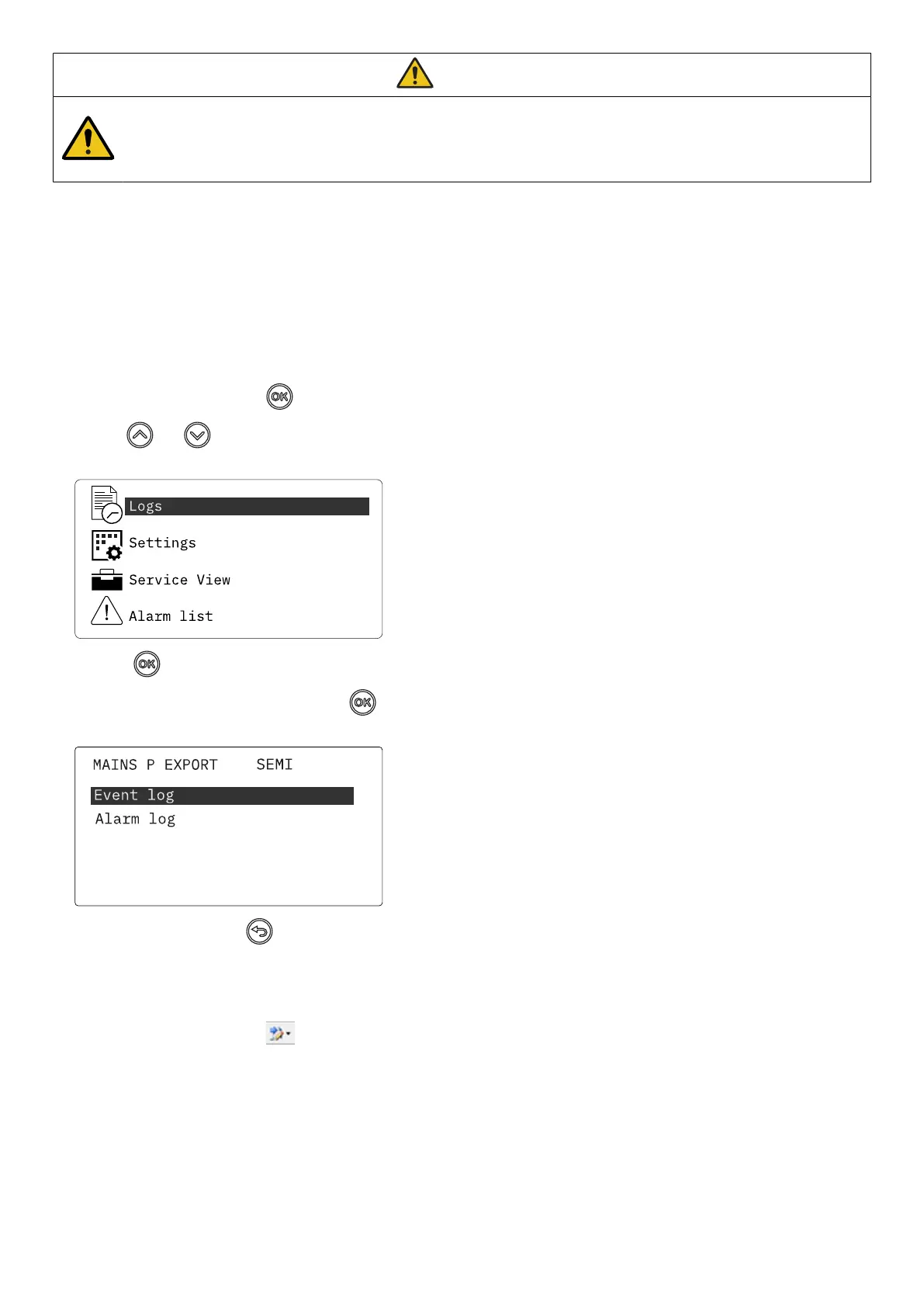
These are the log sub-menus:
1. Event log: Shows up to 500 events.
2. Alarm log: Shows up to 500 alarms. Only the latest 100 alarms are shown on the display unit, while the remaining alarms are
shown in the utility software.
Access the log menu from the controller
1. From the view menu, push the
button.
2. Use the
and buttons to go to Logs.
3. Push the button to select Logs.
4. Select the log you want to see and push the
button.
5. To leave the Log , push the button.
Access the log list with the utility software
1. In the vertical panel on the left, select Logs.
2. In the task bar, select Get logs .
3. Select the Log list you want to see.
OPERATOR'S MANUAL 4189341343A EN Page 36 of 36



 To Previous Page