User’sGuide
deliberant Page11
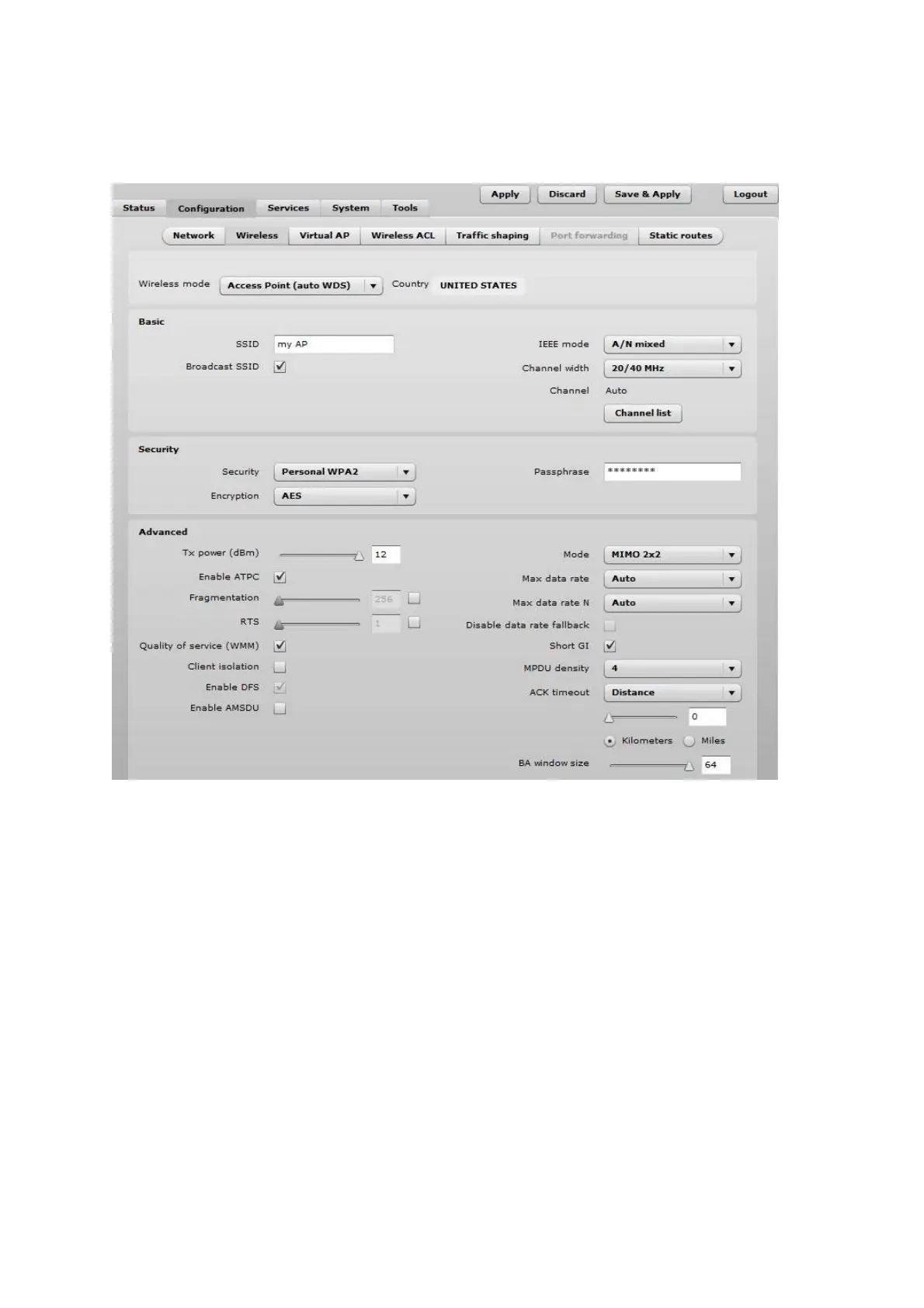
Step 8. Navigate to the Configuration | Wireless tab, choose Access Point wireless mode
with WDS enabled, specify the SSID with Broadcast enabled, Security parameters and IEEE mode
and click Save&Apply:
Step 9. Verify connection. Navigate to Status | Information menu to check if the Station are
successfully connected to the APC device:
Initial Station Setup
Follow the steps for initial wireless client setup that will be connected to the previously configured AP
(refer to the section Initial AP Setup).
Step 1. Connect an Ethernet cable between your computer and the DLB APC device.
Step 2. Make sure your computer is set to the same subnet as the APC, i.e. 192.168.2.150
Step 3. Start your Web browser.
Step 4. Each APC devices uses following default settings:
WAN IP: 192.168.2.66
Subnet mask: 255.255.255.0
Username: admin
Password: admin01



 To Next Page