User’sGuide
deliberant Page28
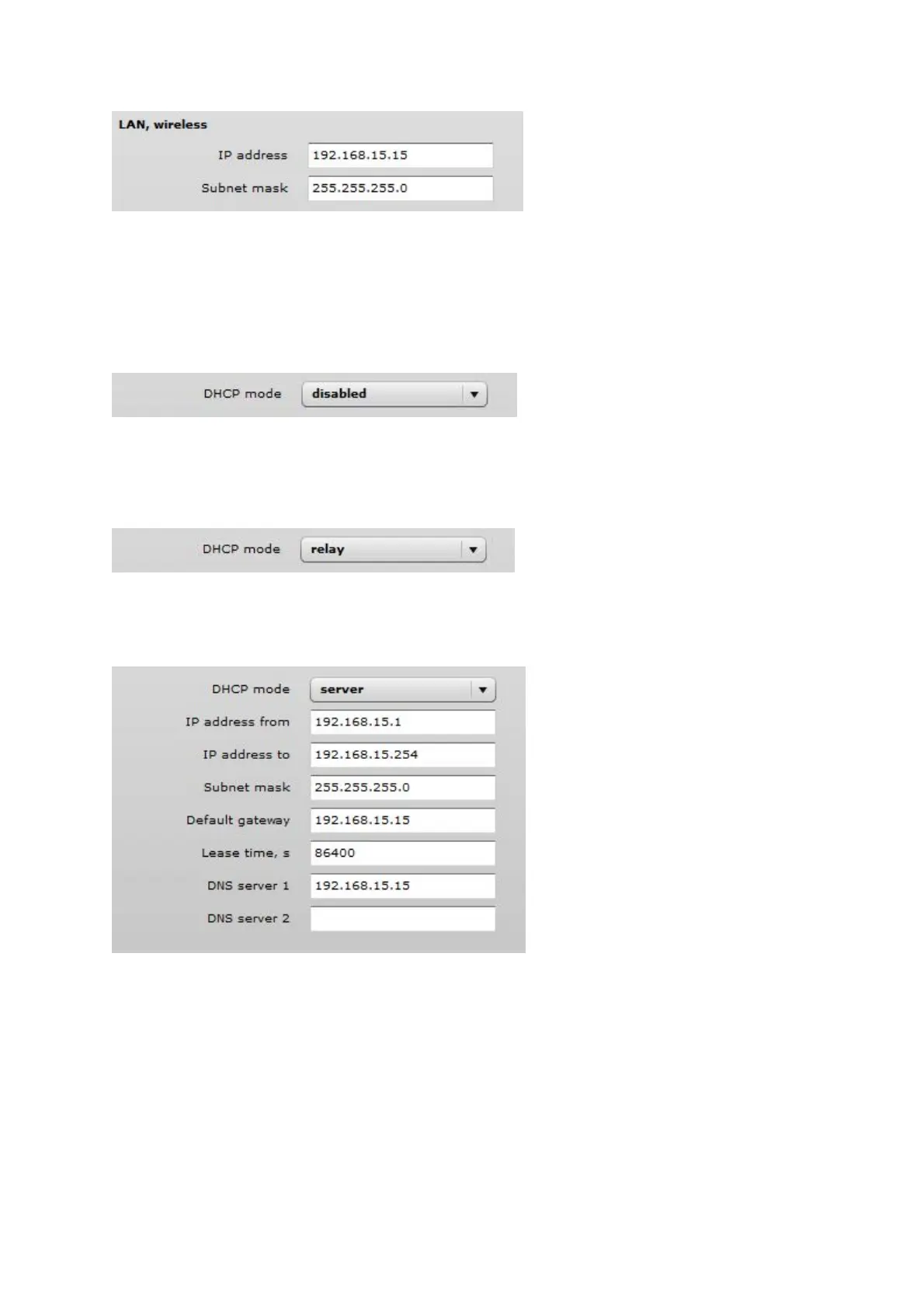
Figure 16 – Router LAN Settings
IP address – specify the IP address of the device LAN interface.
Subnet mask – specify the subnet mask of the device LAN interface.
LANDHCPSettings
DHCP mode – choose disabled to disable DHCP on LAN interface.
Figure 17 – Router LAN Settings: DHCP Disabled
DHCP mode – choose relay to enable DHCP relay. The DHCP relay forwards DHCP messages
between subnets with different sublayer broadcast domains.
Figure 18 – Router LAN Settings: DHCP Relay
DHCP mode – choose server to enable DHCP server on LAN interface.
Figure 19 – Router LAN Settings: DHCP Server
IP address from – specify the starting IP address of the DHCP address pool.
IP address to – specify the ending IP address of DHCP address pool.
Subnet mask – specify the subnet mask.
Default gateway – specify DHCP gateway IP address.
Lease time – specify the expiration time in seconds for the IP address assigned by the DHCP server.
DNS server – specify the DNS server IP address.



 To Next Page