User’sGuide
deliberant Page32
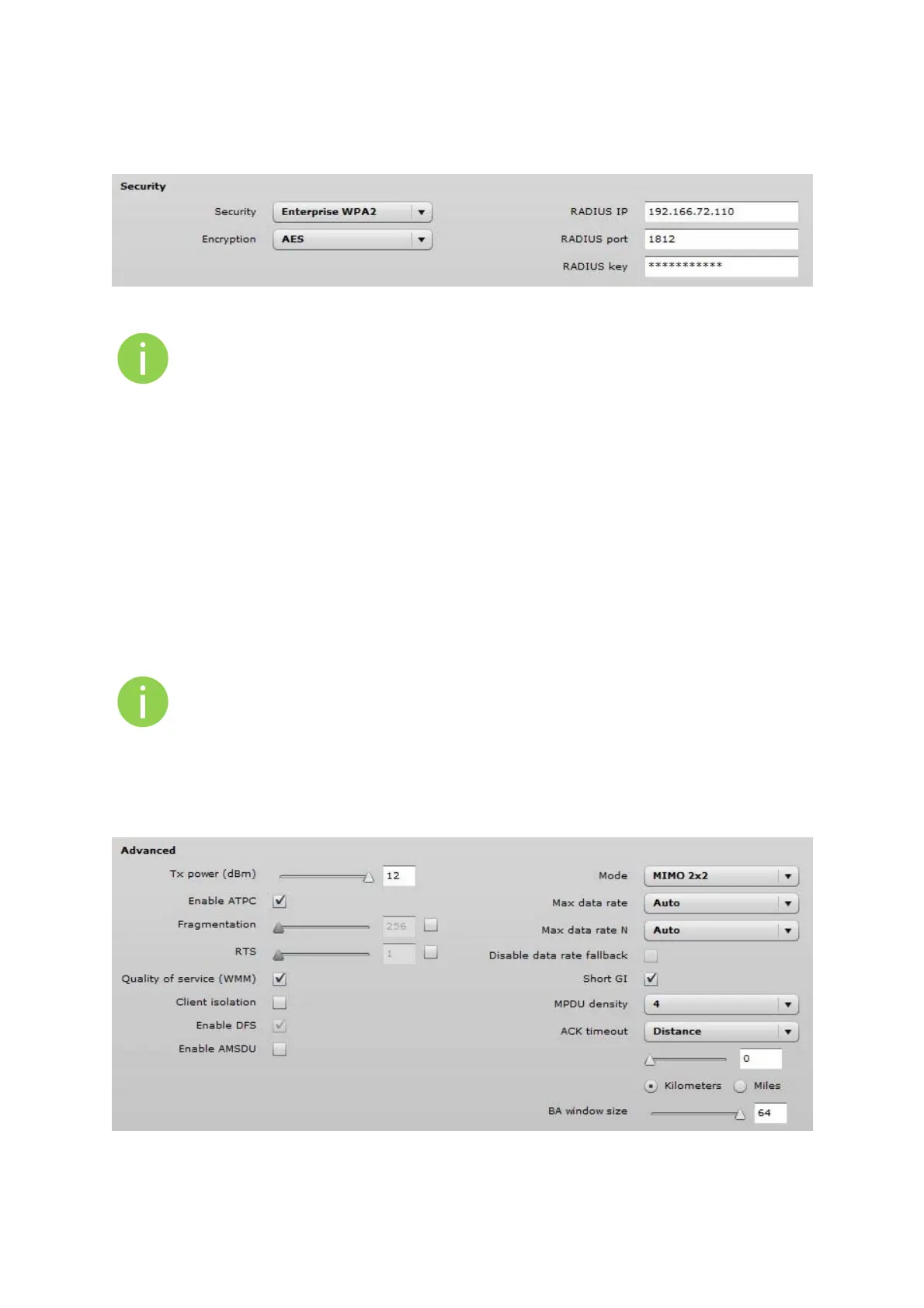
AP has possibility to configure Enterprise WPA/WPA2 encryption with RADIUS authentication.
Properly configured AP will accept wireless stations requests and will send the information to
configured RADIUS server for client authentication.
Figure 25 – Security: Enterprise WPA/WPA2 Encryption
The properly configured RADIUS server is required for Enterprise WPA/WPA2 encryption.
Encryption – specify WPA/WPA2 encryption algorithm:
AES – AP will accept clients with passphrase encrypted with AES method;
TKIP – AP will accept clients with passphrase encrypted with TKIP method;
Auto – AP will accept clients with passphrase encrypted with both: AES and TKIP
methods;
RADIUS authentication settings:
RADIUS IP – specify the IP address of the authentication RADIUS server where the authentication
requests will be send to.
RADIUS port – specify the network port used to communicate with the RADIUS authentication server.
Default: 1812 for authentication.
RADIUS key – specify the secret key of the authentication server [string]. The shared secret is used
to encrypt data packets transmitted between RADIUS server and client.
Shared secrets must be the same on the RADIUS servers and the RADIUS client.
AdvancedWirelessSettings
Advanced parameters allow configuring the device to get the best performance/capacity of the link.
Figure 26 – Wireless Advanced Settings



 To Next Page