User’sGuide
deliberant Page56
Tools
AntennaAlignment
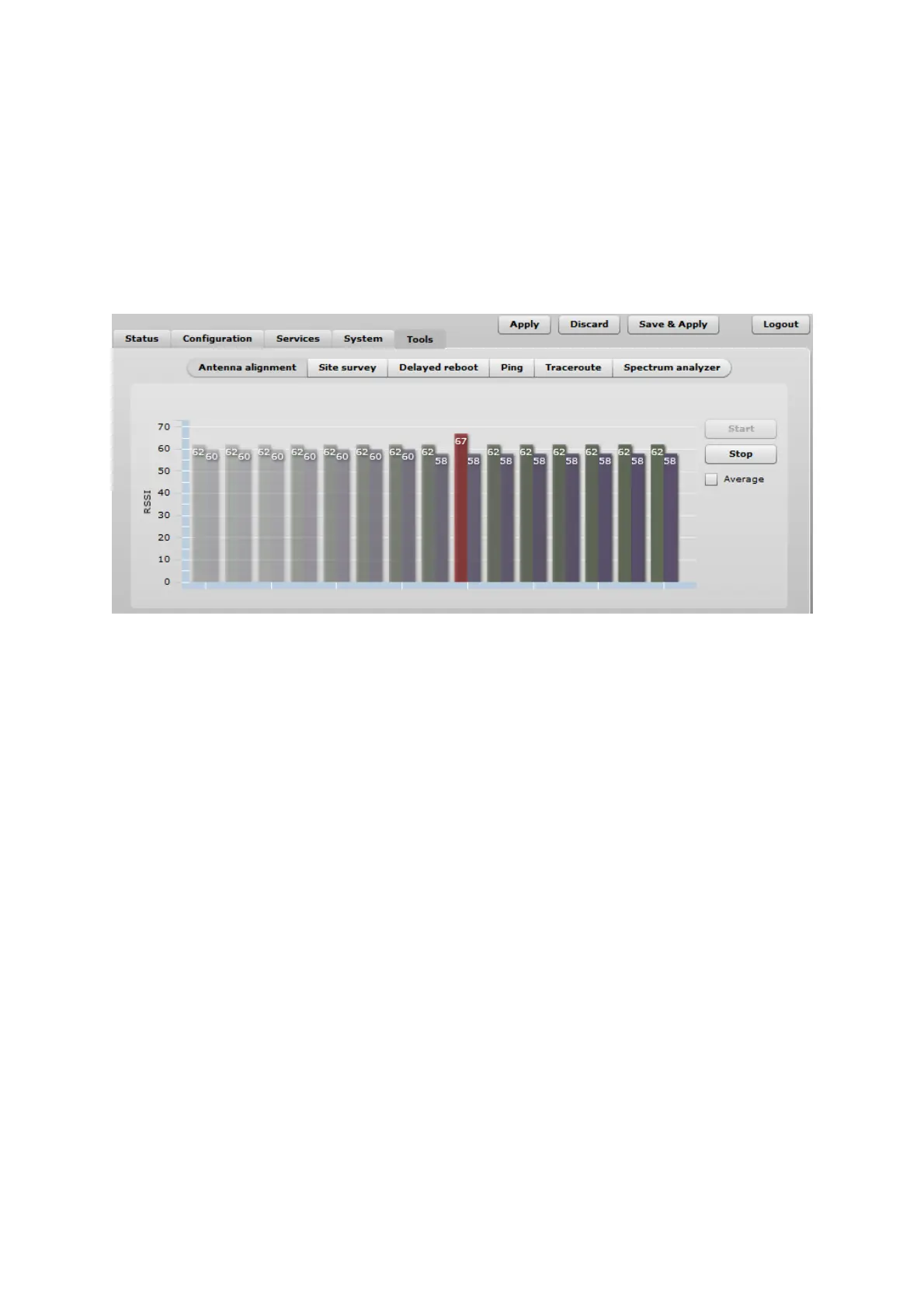
The Antenna Alignment tool measures signal quality between the Station and AP. For best results
during the antenna alignment test, turn off all wireless networking devices within range of the device
except the device(s) with which you are trying to align the antenna. Watch the constantly updated
display in the Alignment Test window as you adjust the antenna.
Figure 59 – Antenna Alignment
Start – press this button to start antenna alignment.
Stop – press this button to stop antenna alignment.
Average – if this option selected, the graph will display the average RSSI of both antennas.
SiteSurvey
The Site Survey tool shows overview information for wireless networks in a local geographic area.
Using this test, an administrator can scan for working access points, check their operating channels,
encryption and see signal/noise levels.
To perform the Site Survey test currently, click the Start scan:
Last updated before – displays when the last scan was performed.
The results of the Site Survey test are converted to handy two graphs: AP count and RSSI. An
administrator can use this to identify the best channel for device operation that will not receive
interference from adjacent APs.



 To Next Page