User’sGuide
deliberant Page30
WirelessMode:AccessPoint(autoWDS)
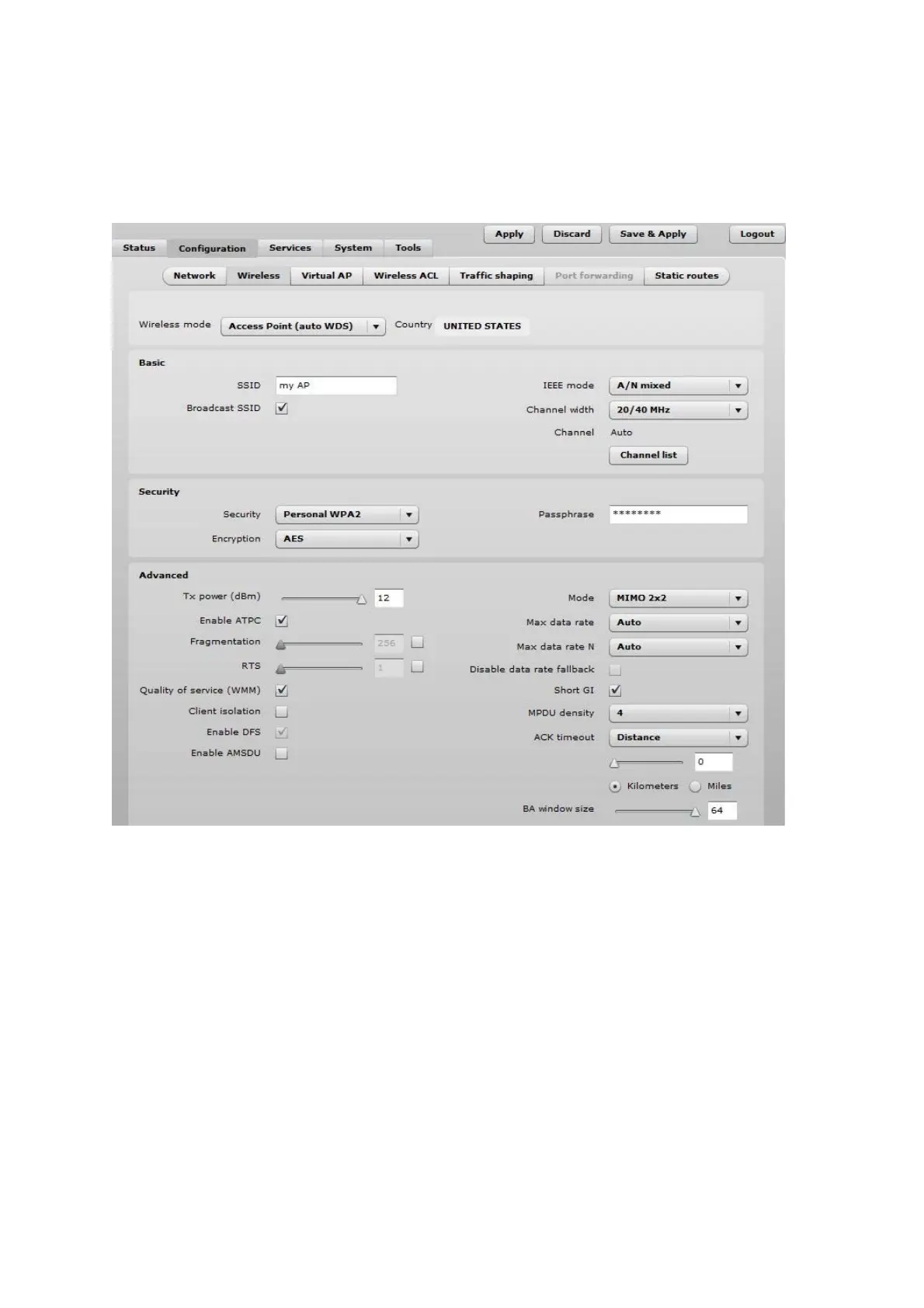
Use Basic Wireless Settings to setup radio interface of the device.
Figure 21 – Access Point Wireless Settings
BasicWirelessSettings
SSID – specify the SSID of the wireless network device.
Broadcast SSID – enables or disables the broadcasting of the SSID for AP.
IEEE mode – specify the wireless network mode.
Channel width – The default channel bandwidth for 802.11 radio is 20MHz. The 802.11n allow
channel bonding in such way the total channel width becomes 40MHz.
Channel – displays the channel at which the AP is operating, or indicates that autochannel function is
used.
Channel list – select the channel(s) at which the AP unit will operate. If more than one channel is
selected, then autochannel feature will be enabled. Automatic channel selection allows AP to select a
channel which is not used by any other wireless device or, if there are no free channels available - to
select a channel which is least occupied. The table displays detailed information about each channel:



 To Next Page