User’sGuide
deliberant Page23
VLANtoSSIDMapping
Virtual Local Area Networks (VLANs) are logical groupings of network resources.
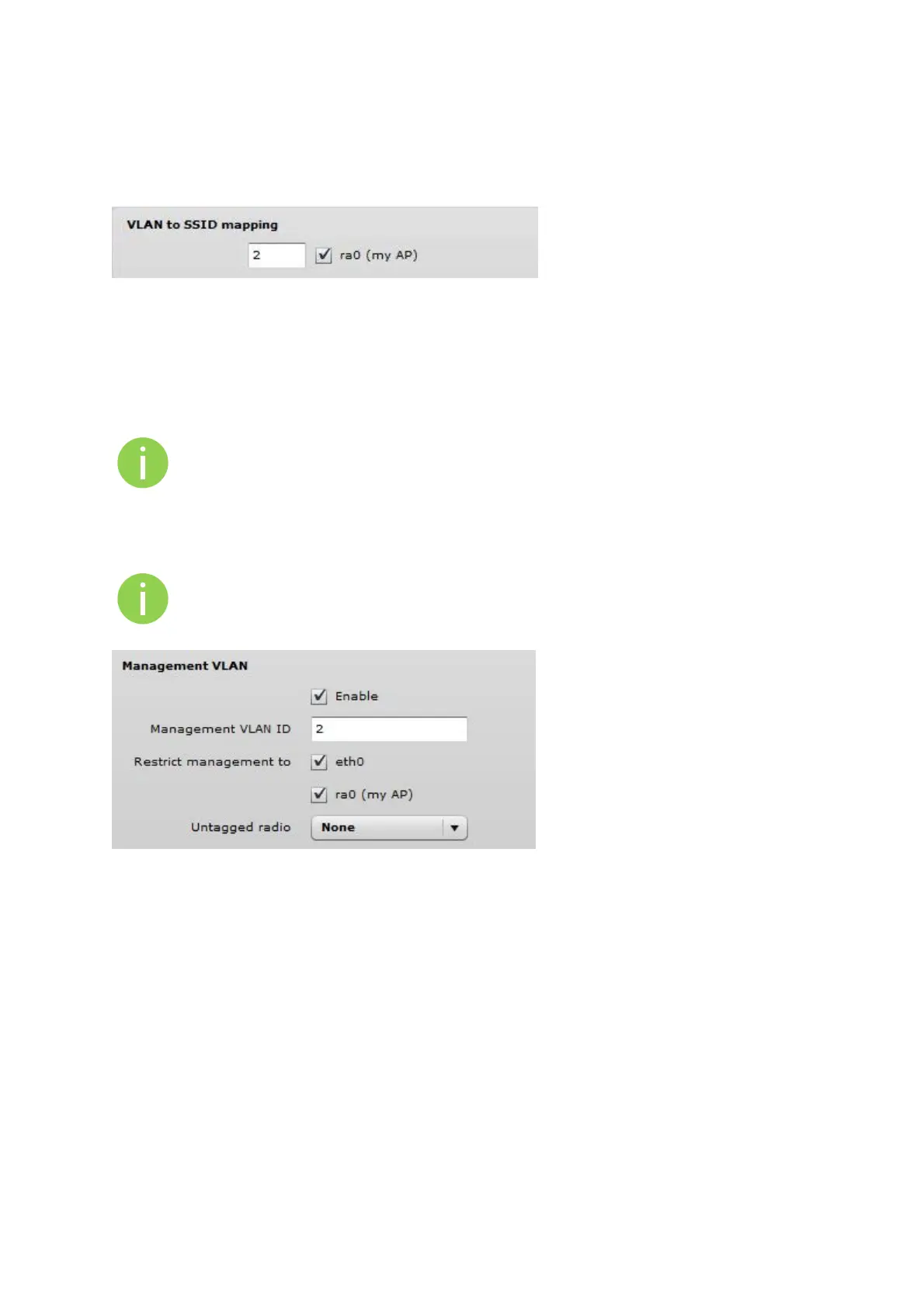
Figure 10 - VLAN to SSID Mapping
VLAN to SSID mapping – specify the VLAN ID for traffic tagging on required radio interface [2-4095].
The Station devices that associate using the particular SSID will be grouped into this VLAN.
ManagementVLAN
Available only on Bridge network mode.
Access to the AP for management purposes can further be limited using VLAN tagging. By defining
Management VLAN, the device will only accept management frames that have the appropriate
Management VLAN ID. All other frames using any management protocol will be rejected.
When you specify a new management VLAN, your HTTP connection to the device will be
lost. For this reason, you should have a connection between your management station and
a port in the new management VLAN or connect to the new management VLAN through a
multi-VLAN router.
Figure 11 – Management VLAN Settings
Enable – select to enable a VLAN tagging for management traffic.
Management VLAN ID – specify the VLAN ID [2-4095]. When device interfaces are configured with a
specific VLAN ID value, only management frames that matching configured VLAN ID will be accepted
by device.
Restrict management to – select interfaces that will be restricted with management VLAN.
Untagged radio – select the interface for untagged traffic.



 To Next Page