User’sGuide
deliberant Page34
WirelessMode:Station
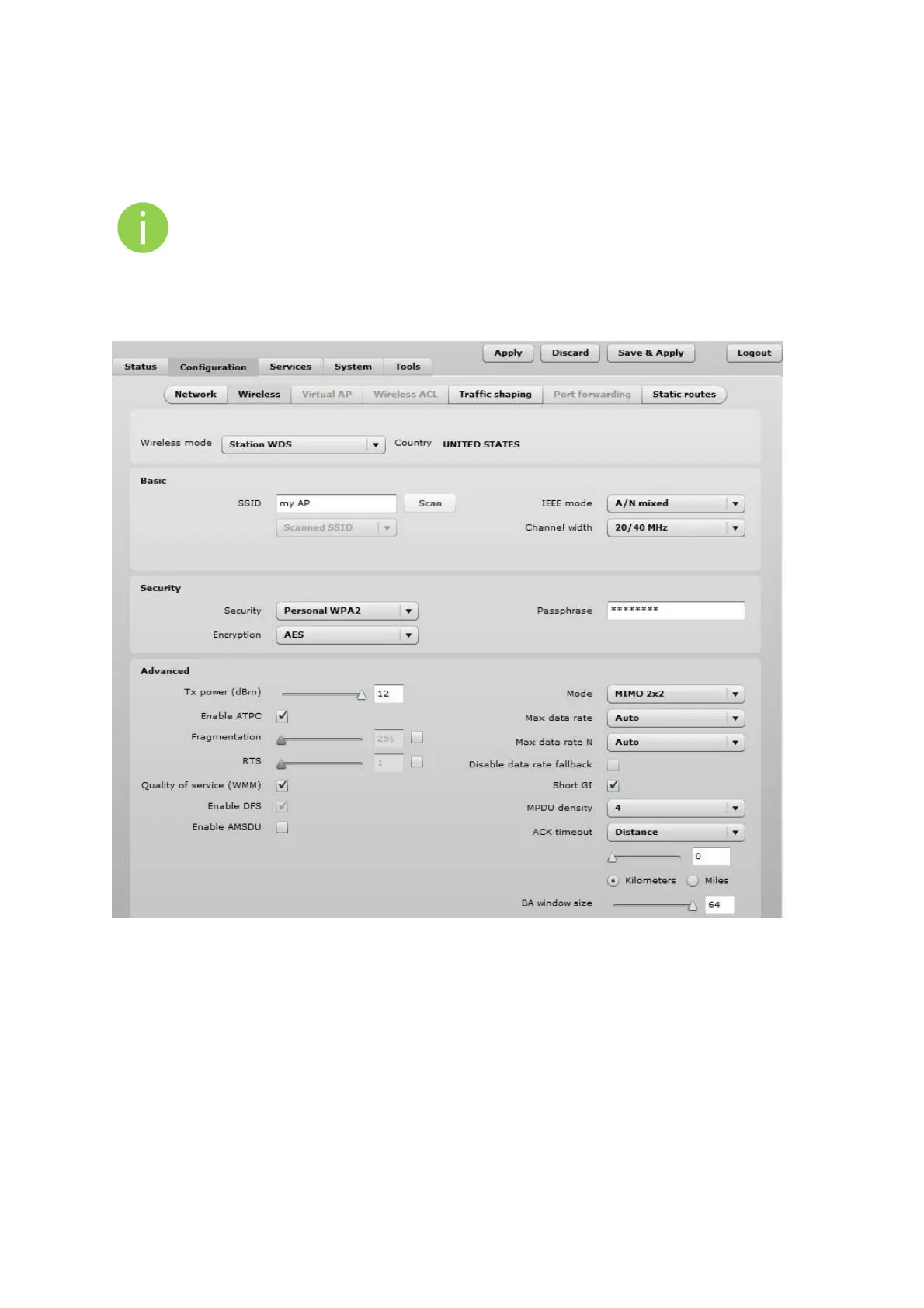
Station WDS has the same wireless settings.
The Station wireless settings a bit differ from the Access Point’s settings: there is possibility to scan
SSID of the surrounding APs and choose the required one.
Use Wireless Settings to setup radio interface of the device.
Figure 27 – Station Wireless Settings
BasicWirelessSettings
SSID – specify the SSID of the wireless network device.
Scan – click this button to scan for surrounding wireless networks. Found network SSID’s will be
available in drop down menu.
IEEE mode – specify the wireless network mode.
Channel width – The default channel bandwidth for 802.11 radio is 20MHz. The 802.11n allow
channel bonding in such way the total channel width becomes 40MHz.



 To Next Page