User’sGuide
deliberant Page45
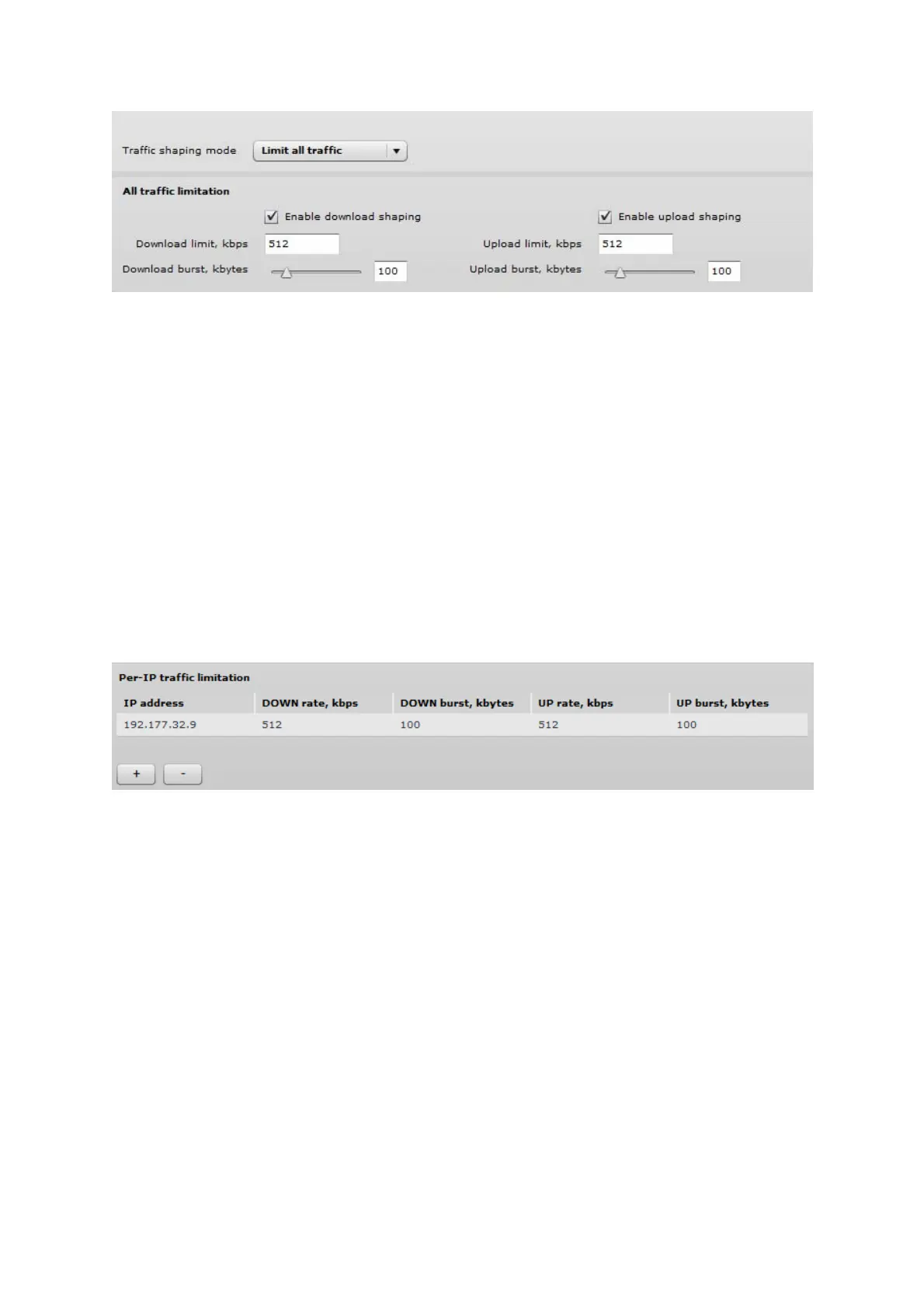
Figure 44 – Traffic Shaping Configuration
Limitalltraffic
Enable download shaping – select to enable limitation of the download traffic.
Download limit, kbps – specify the maximum download (from wireless interface to Ethernet interface)
bandwidth value in Kbps.
Download burst, kbytes – specify the download burst size in kbytes.
Enable upload shaping – select to enable limitation of the upload traffic.
Upload limit, kbps – specify the maximum upload (from Ethernet interface to wireless interface)
bandwidth value in Kbps.
Upload burst, kbytes – specify the upload burst size in kbytes
LimitperIPtraffic
Use + button to create new traffic limitation rules
Figure 45 – Traffic Shaping: Per IP Limitation
IP address – specify IP address for which the traffic will be limited.
Down rate, kbps – specify the maximum download (from wireless interface to Ethernet interface)
bandwidth value in Kbps.
Down burst, kbytes – specify the download burst size in kbytes.
UP rate, kbps – specify the maximum upload (from Ethernet interface to wireless interface)
bandwidth value in Kbps.
UP burst, kbytes – specify the download burst size in kbytes



 To Next Page