User’sGuide
deliberant Page61
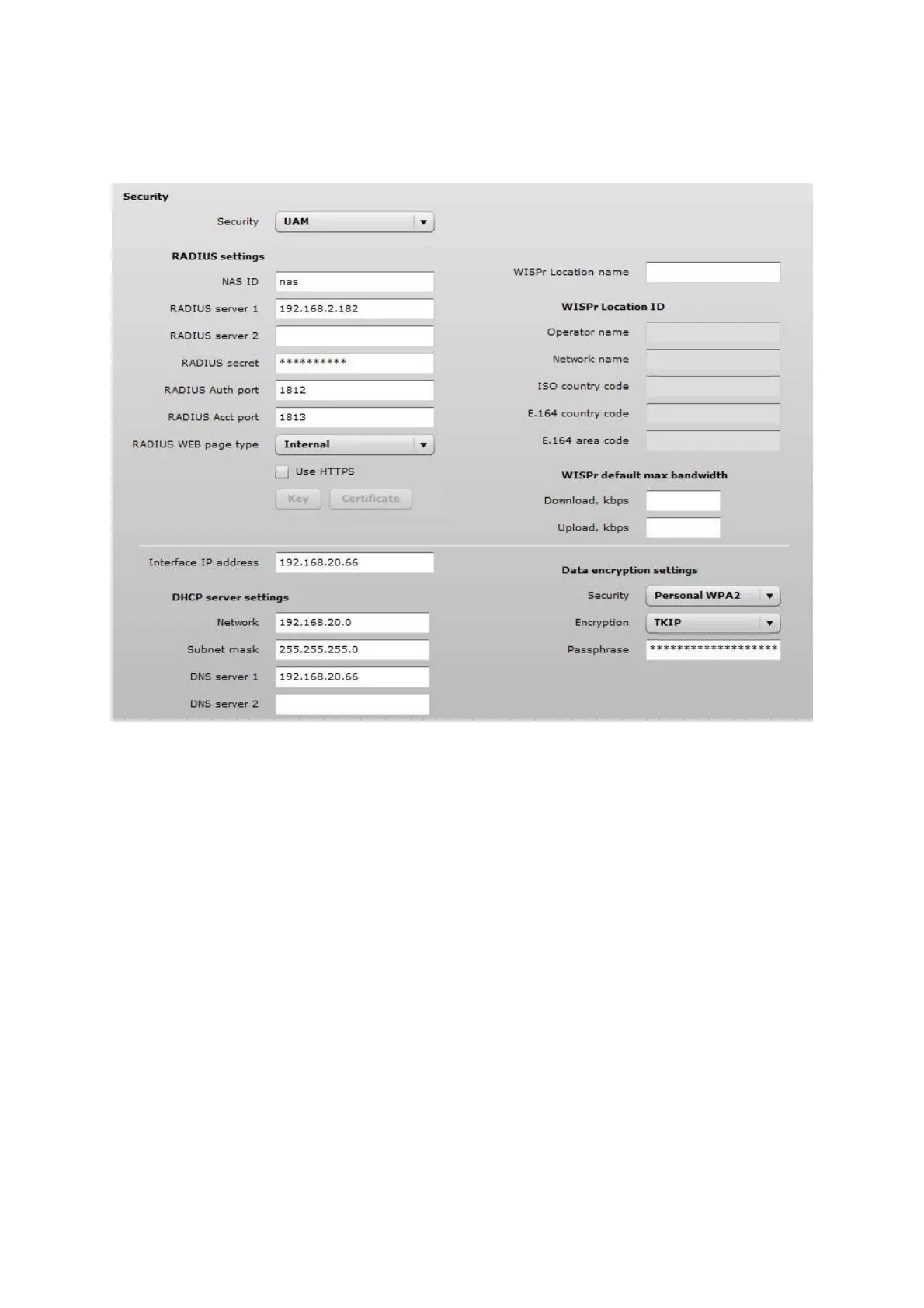
Use Security section on Wireless or VAP (depending on the interface on which the UAM will be
configured) page for UAM configuration: choose the security option UAM:
Figure 64 – UAM Settings
RADIUS Settings
NAS ID – specify the NAS identifier.
RADIUS server 1 – specify the name or IP address of the primary RADIUS server.
RADIUS server 2 – specify the name or IP address of the secondary RADIUS server.
RADIUS secret – specify the RADIUS shared secret.
RADIUS authentication port – specify the UDP port number to use for radius authentication
requests, default 1812
RADIUS accounting port – specify the UDP port number to use for radius accounting requests,
default 1813
RADIUS WEB page type – choose the authentication Web portal type:
Internal – use the built in authentication Web page. If selected, then when a users first
tries to access the Internet, they will be blocked, and re-directed to the built-in login page. The
logon data will be sent to the Radius Server for authentication.
External – specify the external authentication Web page URL and settings. If selected,
then when a user first tries to access the Internet, they will be blocked, and re-directed to the URL
specified below.
Custom internal – upload a customized internal page.
Use HTTPS – enable to use the HTTPS protocol for connection and authentication.



 To Next Page