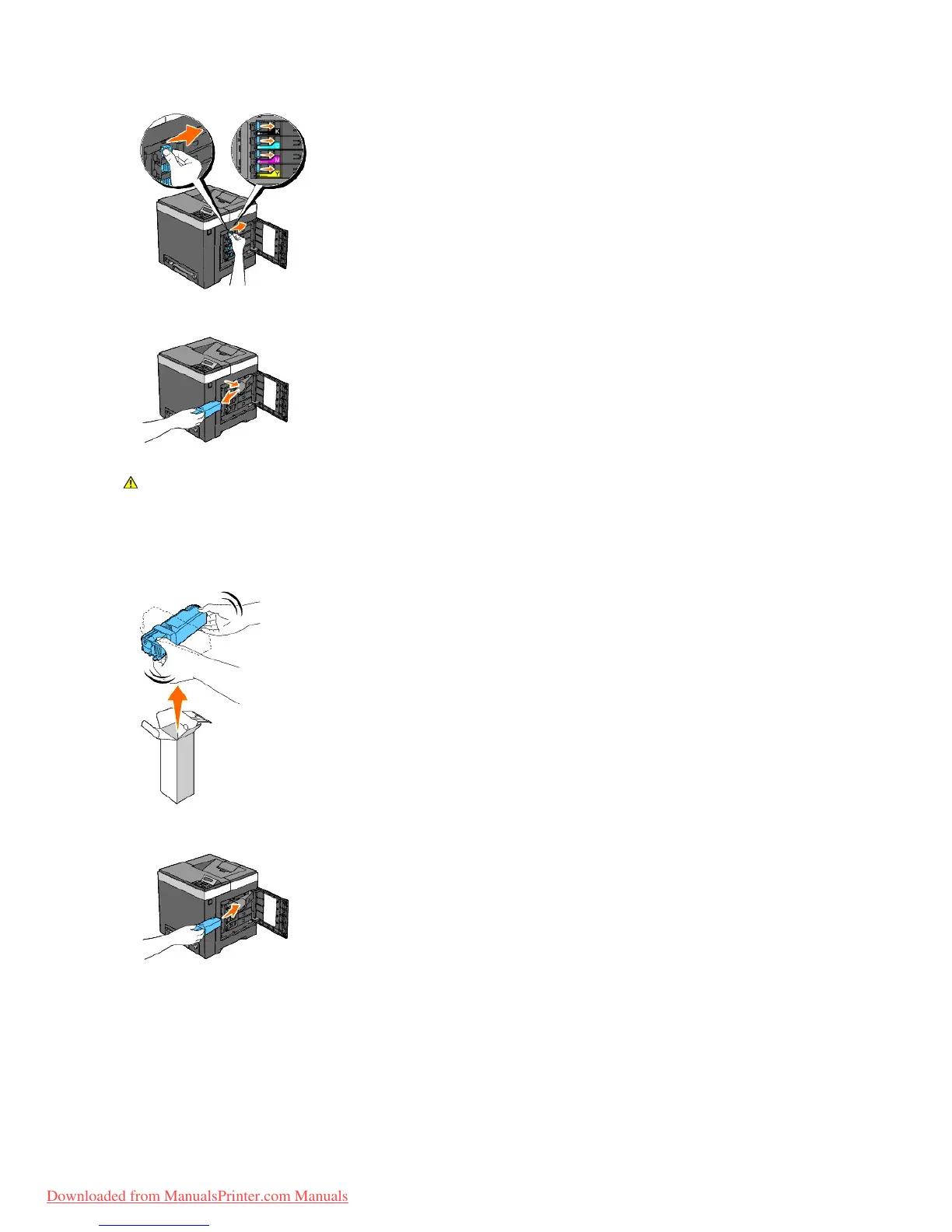
3. Pull the cartridge holder outwards until it stops, and then pull the toner cartridge out of the holder.
Installing a New Toner Cartridge
1. Ensure that the color of the new toner cartridge matches that on the handle before replacing it. Shake the toner cartridge five or six times to distribute
the toner evenly.
2. Insert the toner cartridge into the associated cartridge holder, and slide the latches of the toner cartridge until it locks well.



 To Next Page