Back to Contents Page
Installing the Print Head Device (PHD) Unit and Toner Cartridges
Installing the Print Head Device (PHD) Unit
Installing the Toner Cartridges
Installing the Print Head Device (PHD) Unit
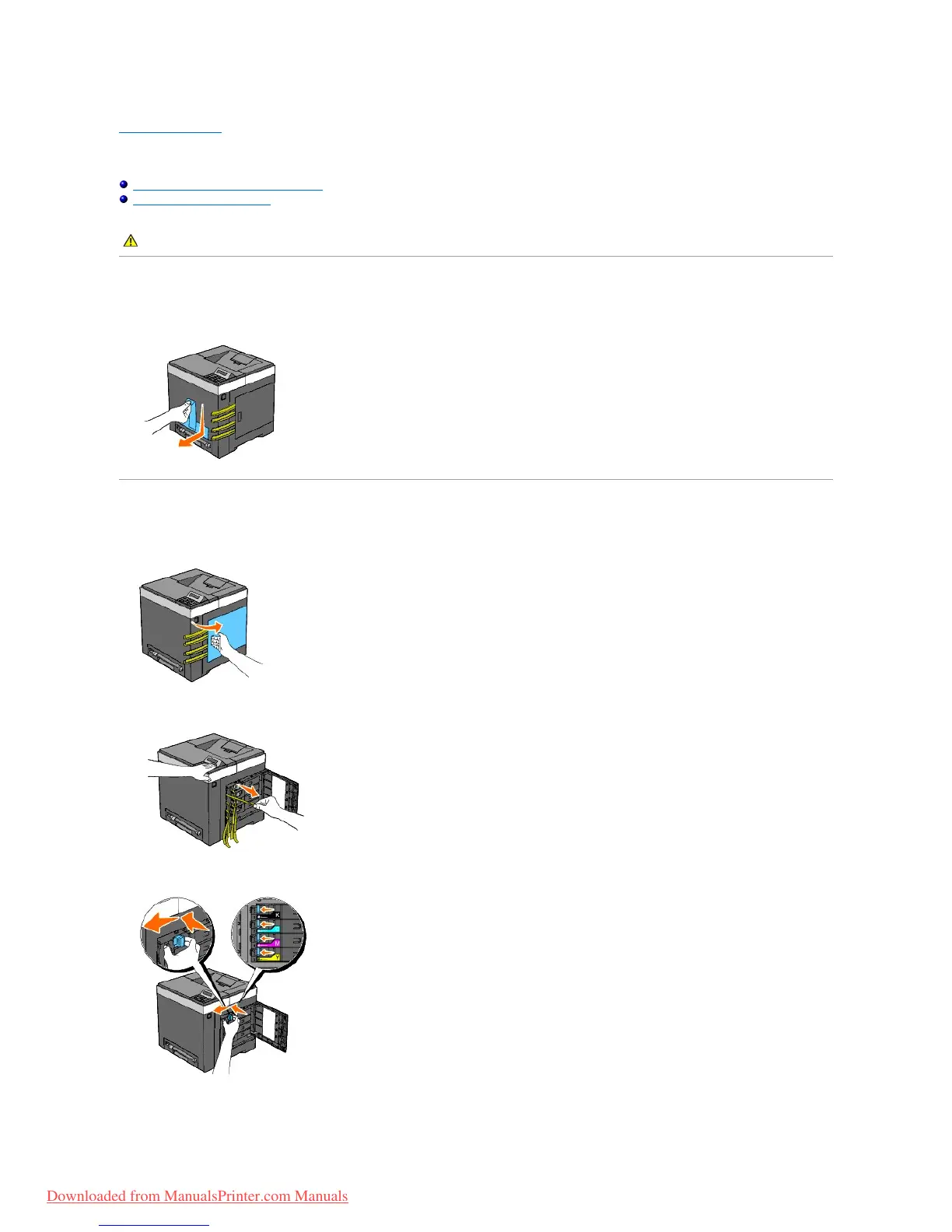
1. Remove the tape from the printer and pull the protective sheet out of the printer.
Installing the Toner Cartridges
1. Open the side cover.
2. Completely remove the eight yellow ribbons.
3. Press and slide the blue latches of four toner cartridges to the locked position.
4. Close the side cover.



 To Next Page