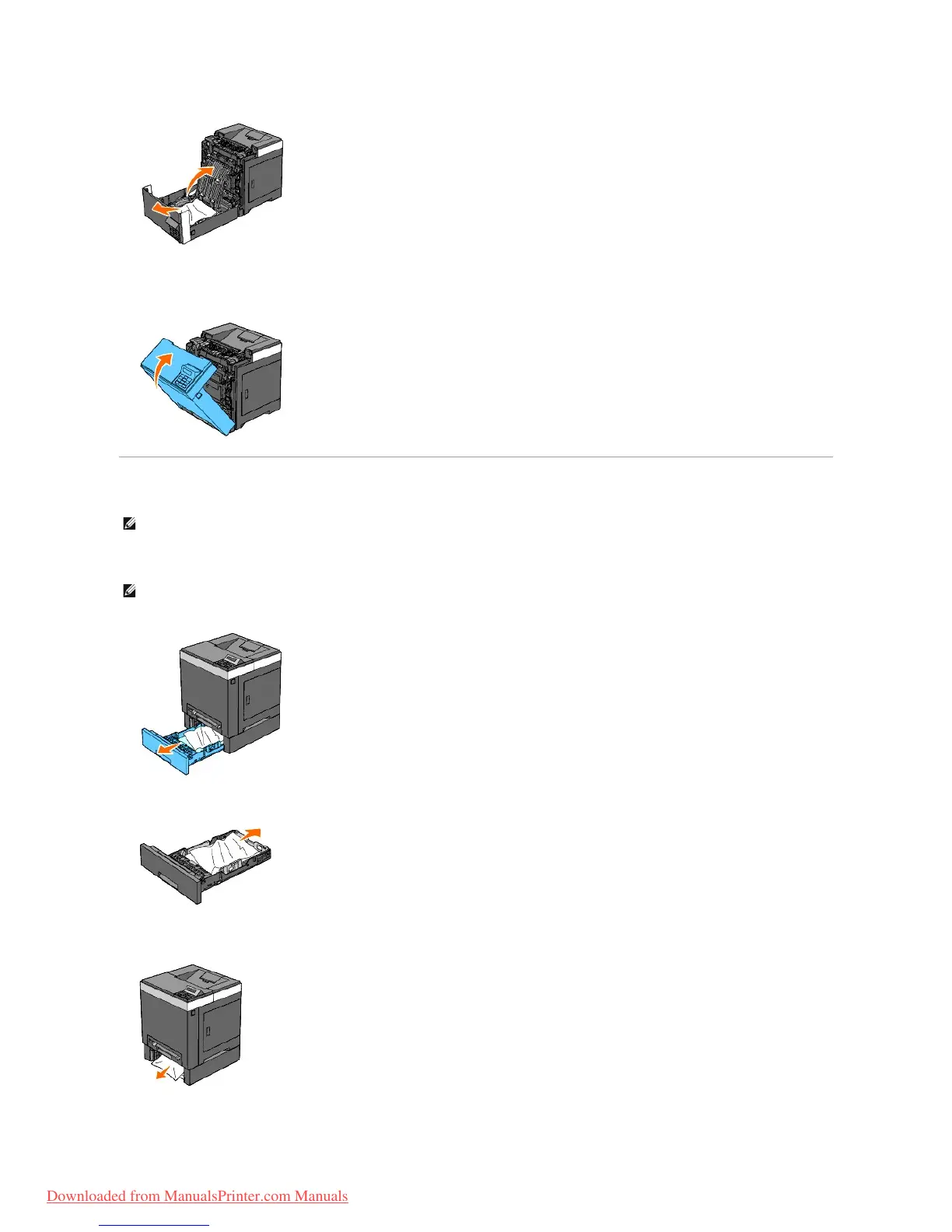
4. Close the cover of the duplexer.
5. Close the front cover.
Removing Print Jams From the Optional 250- Sheet Feeder
1. Pull the tray out of the printer carefully. Hold the tray with both hands, and remove it from the printer.
2. Remove all jammed and/or creased paper from the tray.
3. Pull the jammed paper out carefully to avoid tearing it. If it is still hard to remove the paper, go to the next step to remove the jammed paper from the
inside of the printer.
NOTE: To resolve the error displayed on the operator panel, you must clear all print media from the print media path.
NOTE: Paper in the optional 250-sheet feeder feeds to the printer from the front of the standard 250-sheet tray, therefore paper jammed in the
standard 250-sheet tray can block the optional 250-sheet feeder in the printer, preventing you from opening them. Look for the jammed paper
sequentially, starting with the optional 250-sheet feeder.
Downloaded from ManualsPrinter.com Manuals



 To Next Page