23
Disassembly and reassembly
Power-button board
Removing the power-button board
Prerequisites
1. Follow the procedure in Before working inside your monitor.
2. Remove the stand.
3. Remove the back cover.
4. Remove the metal shield.
5. Remove the middle frame.
Steps
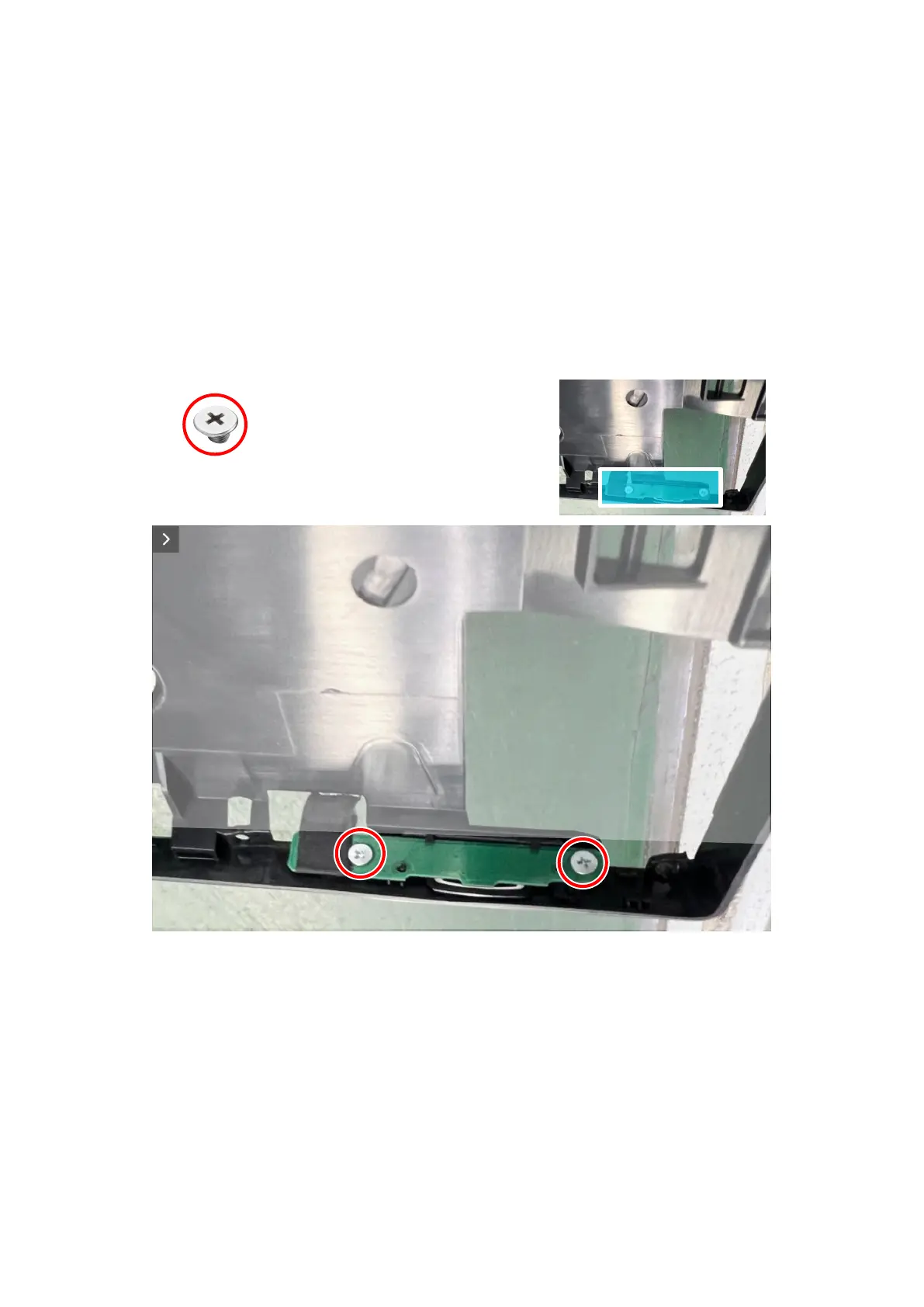
1. Remove the two screws (Q2x2) that secure the power-button board to the middle frame.
2. Lift the power-button board away from the middle frame.
2x
Q2x2
Figure 28. Removing the power-button board













 To Next Page