26
Disassembly and reassembly
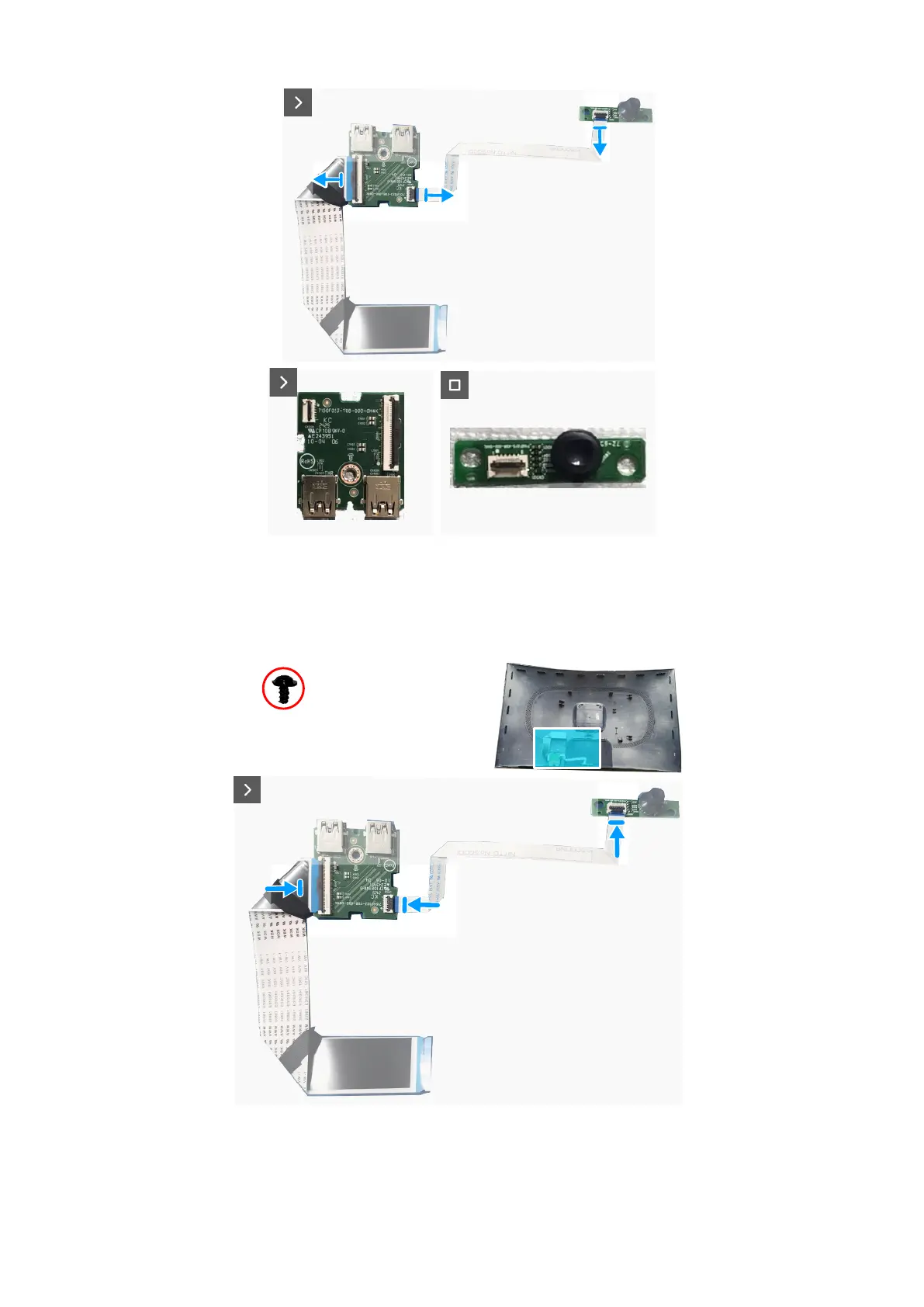
Figure 32. Removing the I/O board and joystick-button board
Installing the I/O board and joystick-button board
Steps
1. Connect the cables to the connectors on the I/O board and the joystick-button board.
3x
Q3x6
Figure 33. Installing the I/O board and joystick-button board
2. Replace the screw (Q3x6) to secure the I/O board to the back cover.
3. Replace the two screws (Q3x6) to secure the joystick-button board to the back cover.













 To Next Page