7
Disassembly and reassembly
Back cover
Removing the back cover
Prerequisites
1. Follow the procedure in Before working inside your monitor.
2. Remove the stand.
Steps
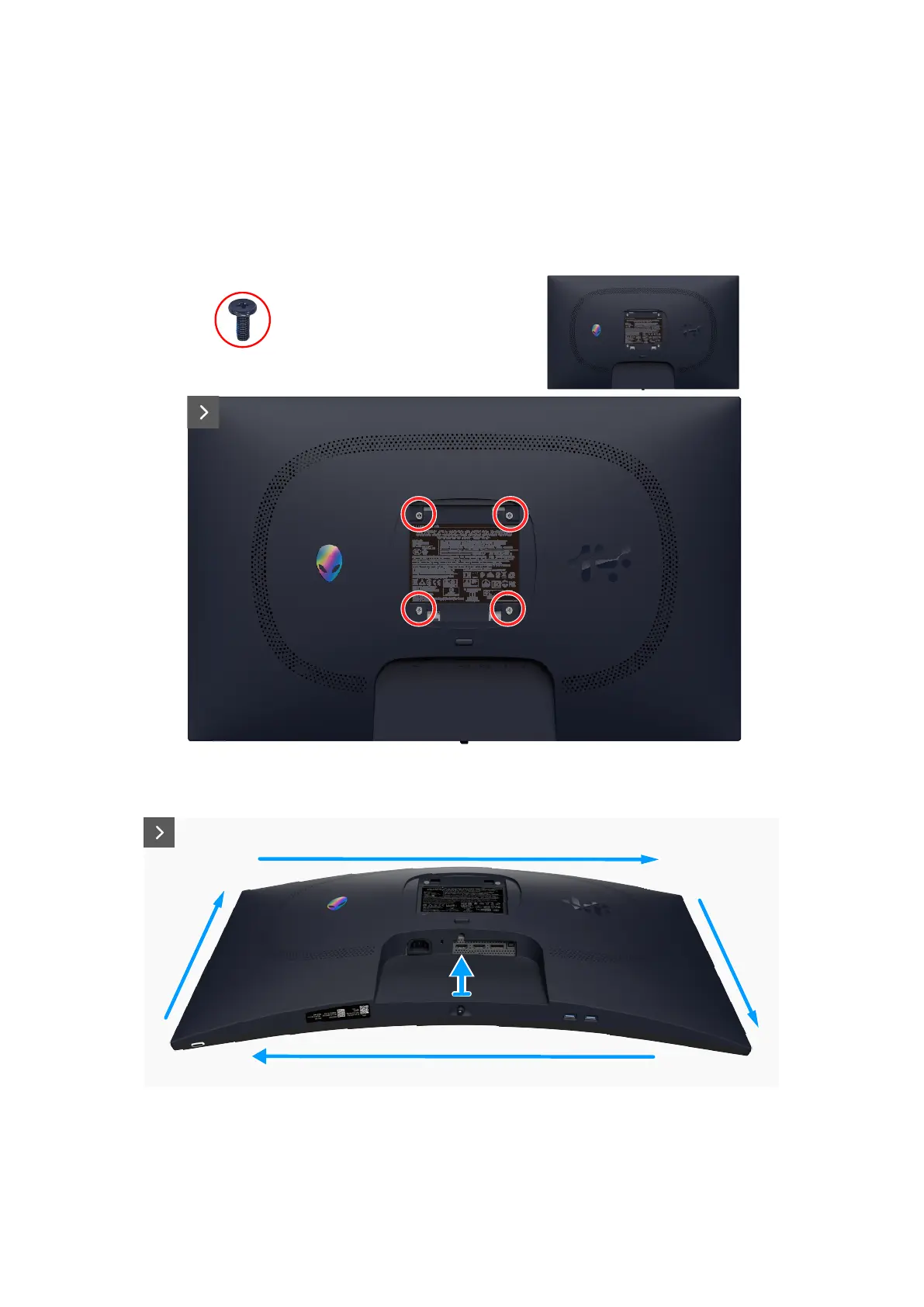
1. Remove the four screws (M4x10) that secure the back cover to the display assembly.
4x
M4x10
Figure 3. Removing the back cover
2. Using a plastic scribe, pry the back cover starting from the bottom edge of the monitor.
Figure 4. Removing the back cover
3. Lift the back cover partially from the bottom edge and disconnect the LVDS cable from the connector on the system board.













 To Next Page