14
Disassembly and reassembly
Installing the metal shield
Steps
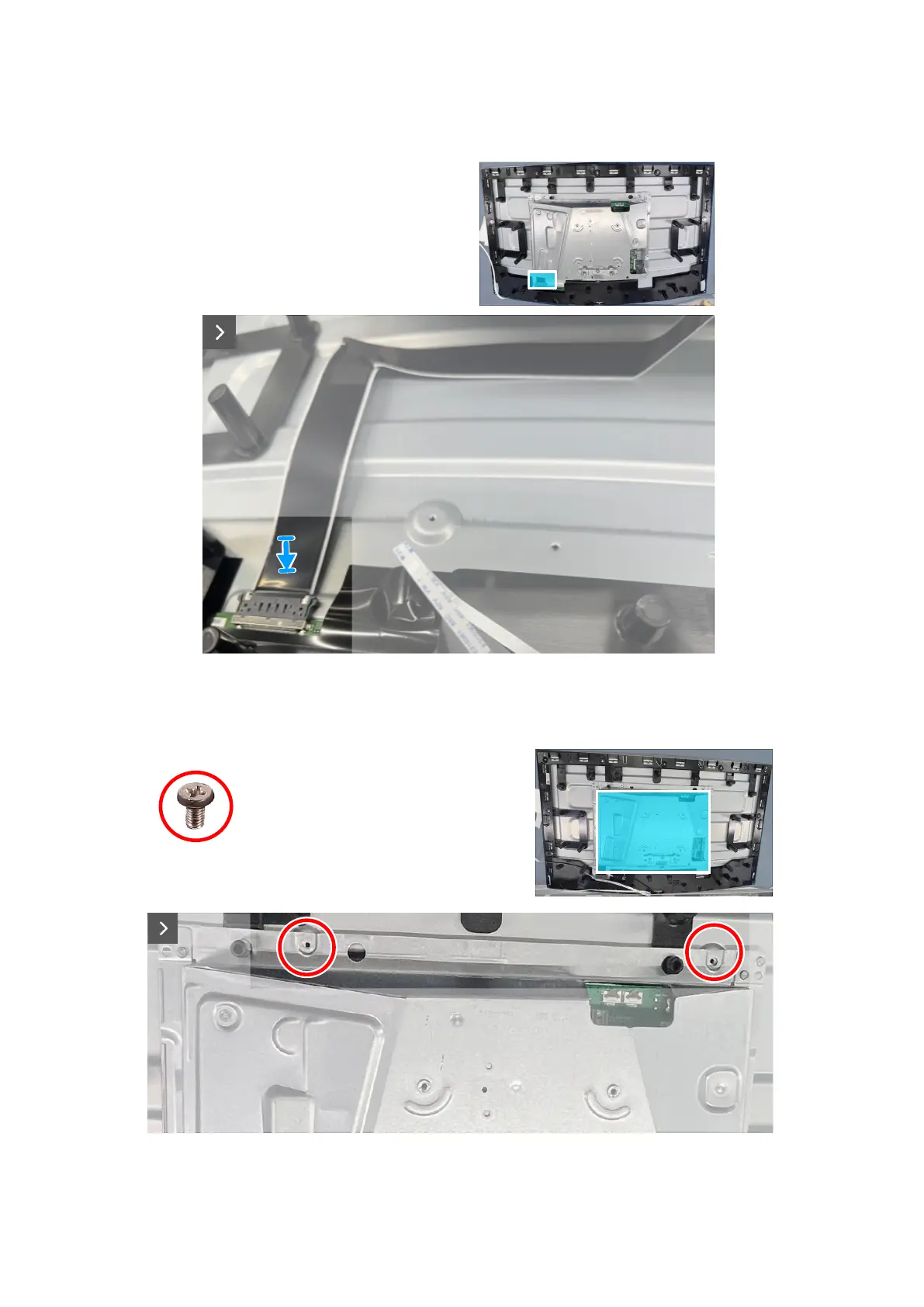
1. Connect the display cable to the connector on the display panel.
Figure 15. Installing the metal shield
2. Align the screw holes on the metal shield to the screw holes on the middle frame.
3. Replace the four screws (M3x4) to secure the metal shield to the middle frame.
4x
M3x4
Figure 16. Installing the metal shield













 To Next Page