19
Disassembly and reassembly
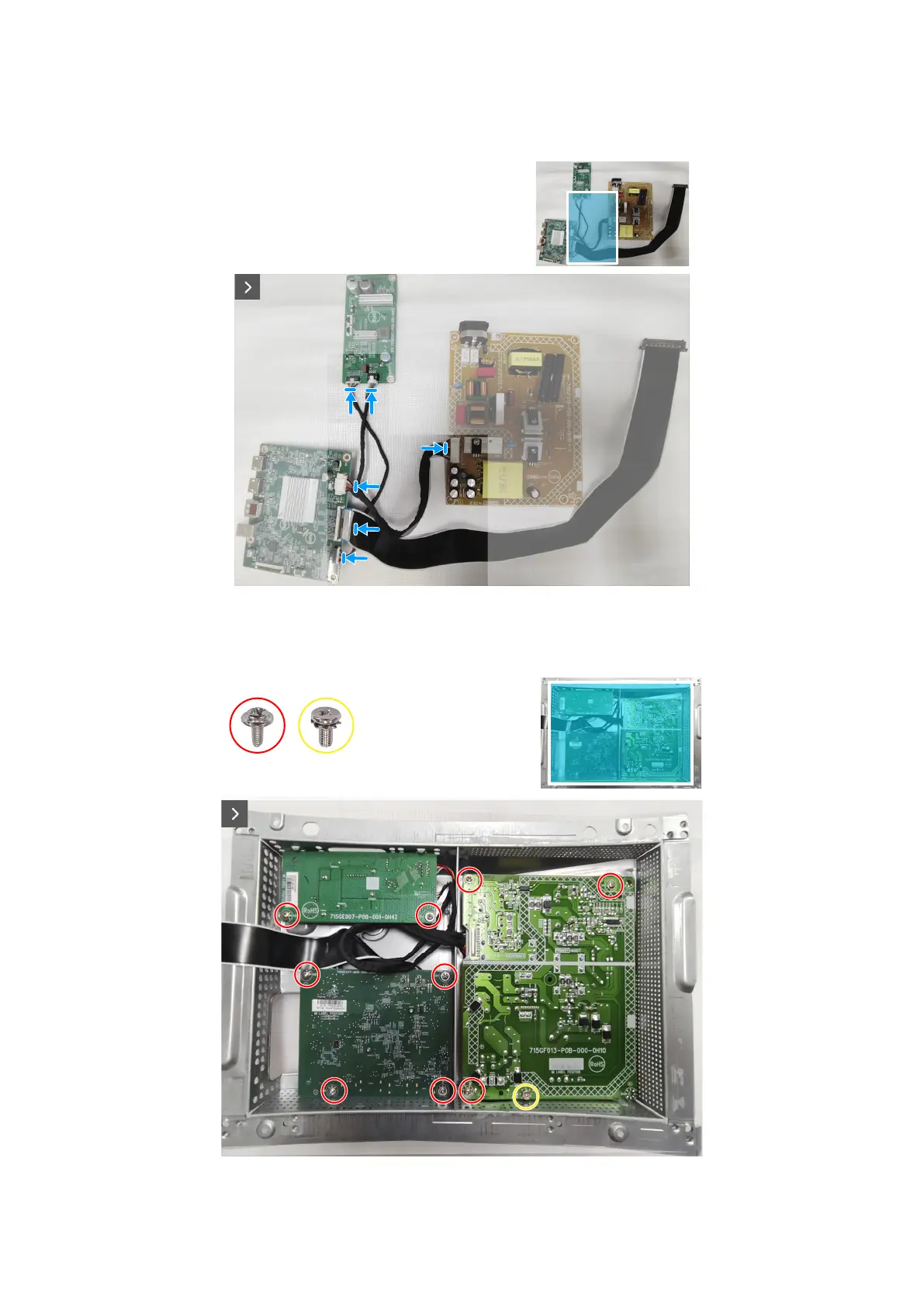
Installing the system board and power board
Steps
1. Connect the cables to the connectors on the system board, power board and converter board.
Figure 23. Installing the system board and power board
2. Replace the nine screws (M3x6) and the screw (M4X6) to secure the system board, power board and converter board to the
metal shield.
9x
M3x6
1x
M4x6
Figure 24. Installing the system board and power board













 To Next Page