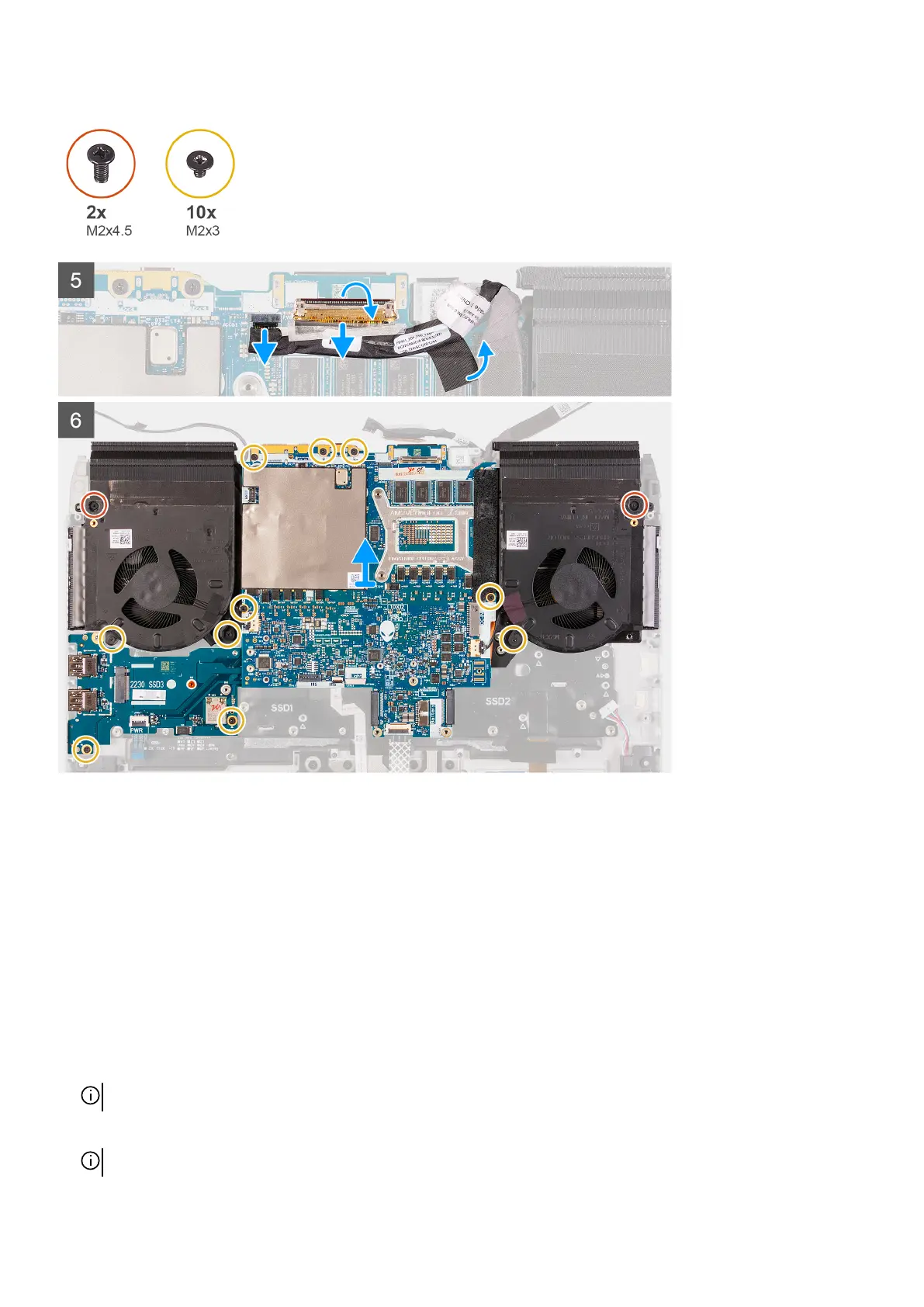
Steps
1. Peel the Mylar covering the system board.
2. Remove the screw (M2x3) that secures the wireless card bracket to the left I/O-board.
3. Lift the wireless-card bracket off the left I/O-board.
4. Disconnect the antenna cables from the wireless card on the left I/O-board.
5. Peel the tapes securing the antenna cables to system board and left fan.
6. Lift the latch and disconnect the power-button cable from the left I/O-board.
7. Disconnect the power-adapter port cable from the system board.
8. Remove the three screws (M2x4.5) that secures the M.2 SSD frame to the system board.
9. Lift the M.2 SSD frame from the system board.
10.Lift the latch and disconnect the keyboard-controller board-cable from the system board.
11. Lift the latch and disconnect the touchpad cable from the system board.
12. Lift the latch and disconnect the display cable from the connector on the system board.
NOTE: Ensure that you disconnect the display cable before disconnecting the G-sensor cable.
13. Disconnect the Tobii eye tracker cable from the connector on the system board.
NOTE: This step is only applicable to computers shipped with a Tobii eye tracker.
47













 To Next Page