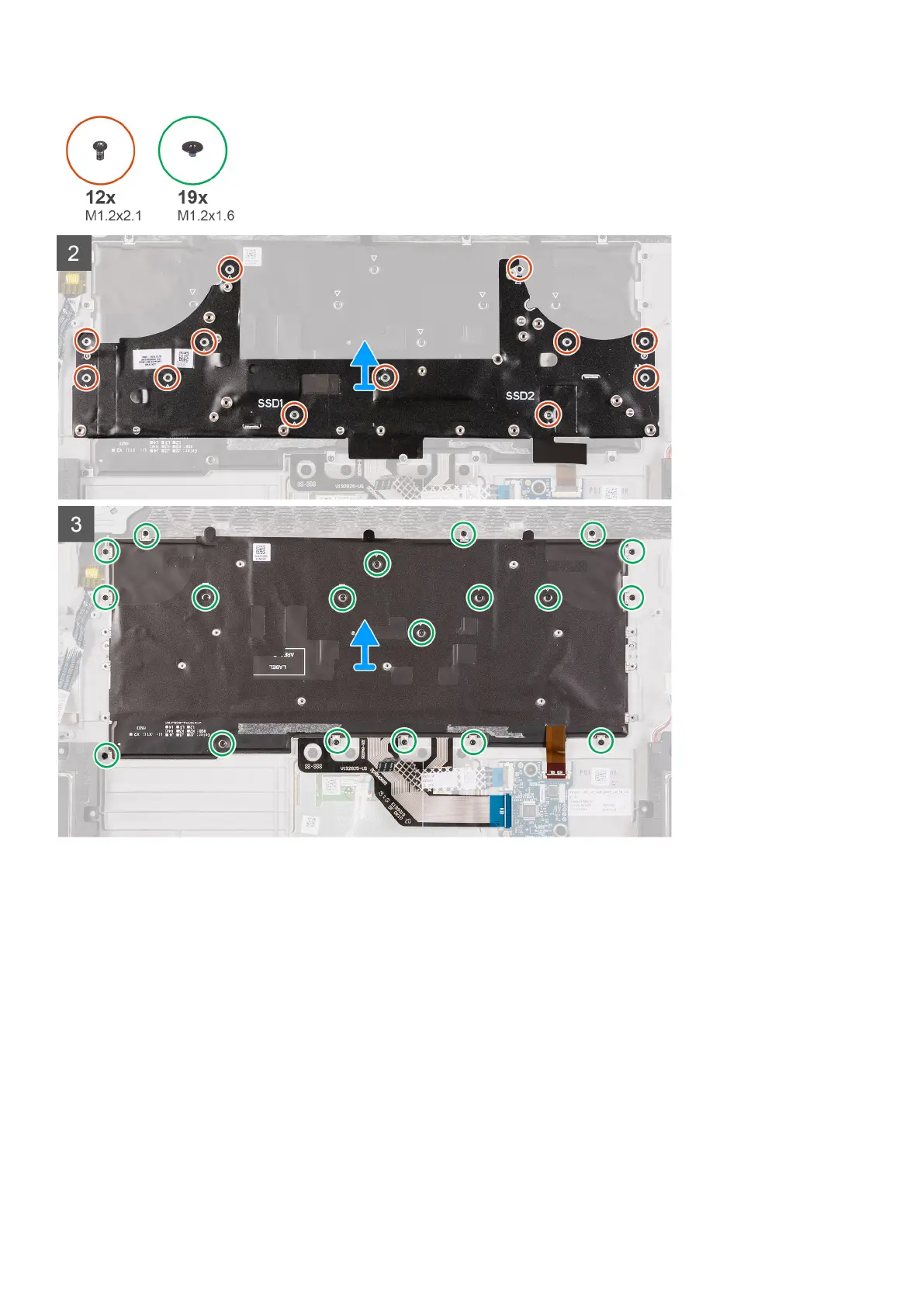
Steps
1. Open the latch and disconnect the keyboard-backlight cable from the keyboard-controller board.
2. Open the latch and disconnect the keyboard-controller board cable from the keyboard-controller board.
3. Open the latch and disconnect the keyboard cable from the keyboard-controller board.
4. Fold up the touchpad cable so that it is no longer resting on the keyboard.
5. Fold up the power-button assembly cable so that it is no longer resting on the keyboard.
6. Remove the 12 screws (M1.2x2.1) that secure the keyboard bracket to the keyboard and palmrest.
7. Lift the keyboard bracket off the keyboard.
8. Remove the 19 screws (M1.2x1.6) that secure the keyboard to the palmrest.
Installing the keyboard
Prerequisites
If you are replacing a component, remove the existing component before performing the installation process.
63













 To Next Page