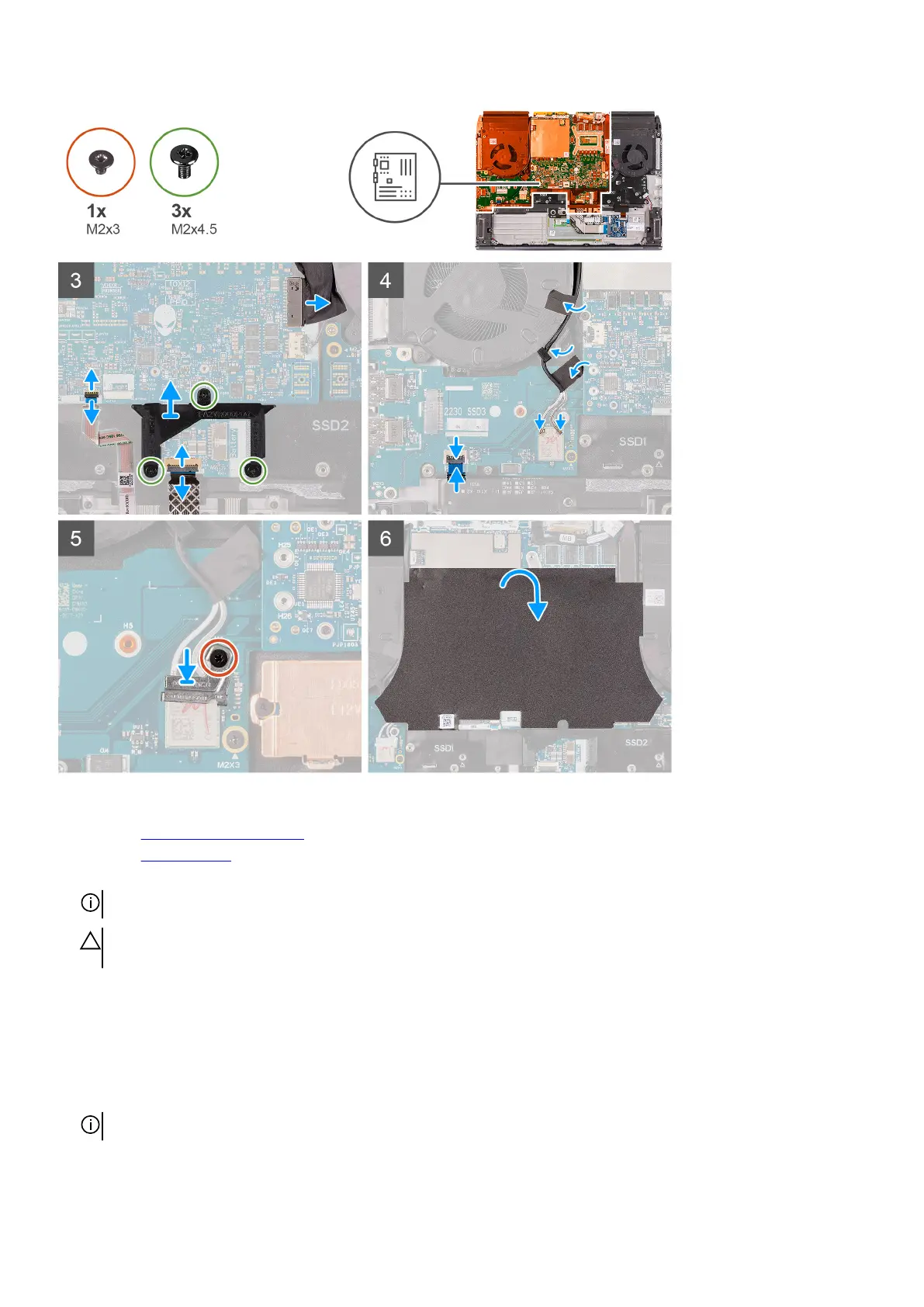
Steps
1. Install the fan and heat-sink assembly.
2. Install the left I/O-board.
3. Turn the system-board assembly over and place the system-board assembly on the palm-rest assembly.
NOTE: When placing the system board in place, hold firmly on the left and right sides of the fan and heat-sink assembly.
CAUTION: To avoid damaging your computer, do not support the system board by the left I/O-board when placing the
system board.
4. Align the screw holes on the system board with the screw holes on the palm-rest assembly.
5. Replace the two (M2x3) screws that secure the left I/O-board to the palm-rest assembly.
6. Replace the eight (M2x3) screws that secure the system board to the palm-rest assembly.
7. Replace the three (M2x3) screws that secure the fan and heat-sink assembly to the palm-rest assembly.
8. Replace the two (M2x4.5) screws that secure the fan and heat-sink assembly to the palm-rest assembly.
9. Connect the G-sensor cable to the connector on the system board.
NOTE: Ensure that you connect the G-sensor cable before you connect the display cable.
10.Connect the Tobii eye tracker cable to the connector on the system board.
50













 To Next Page