3. Remove the battery.
About this task
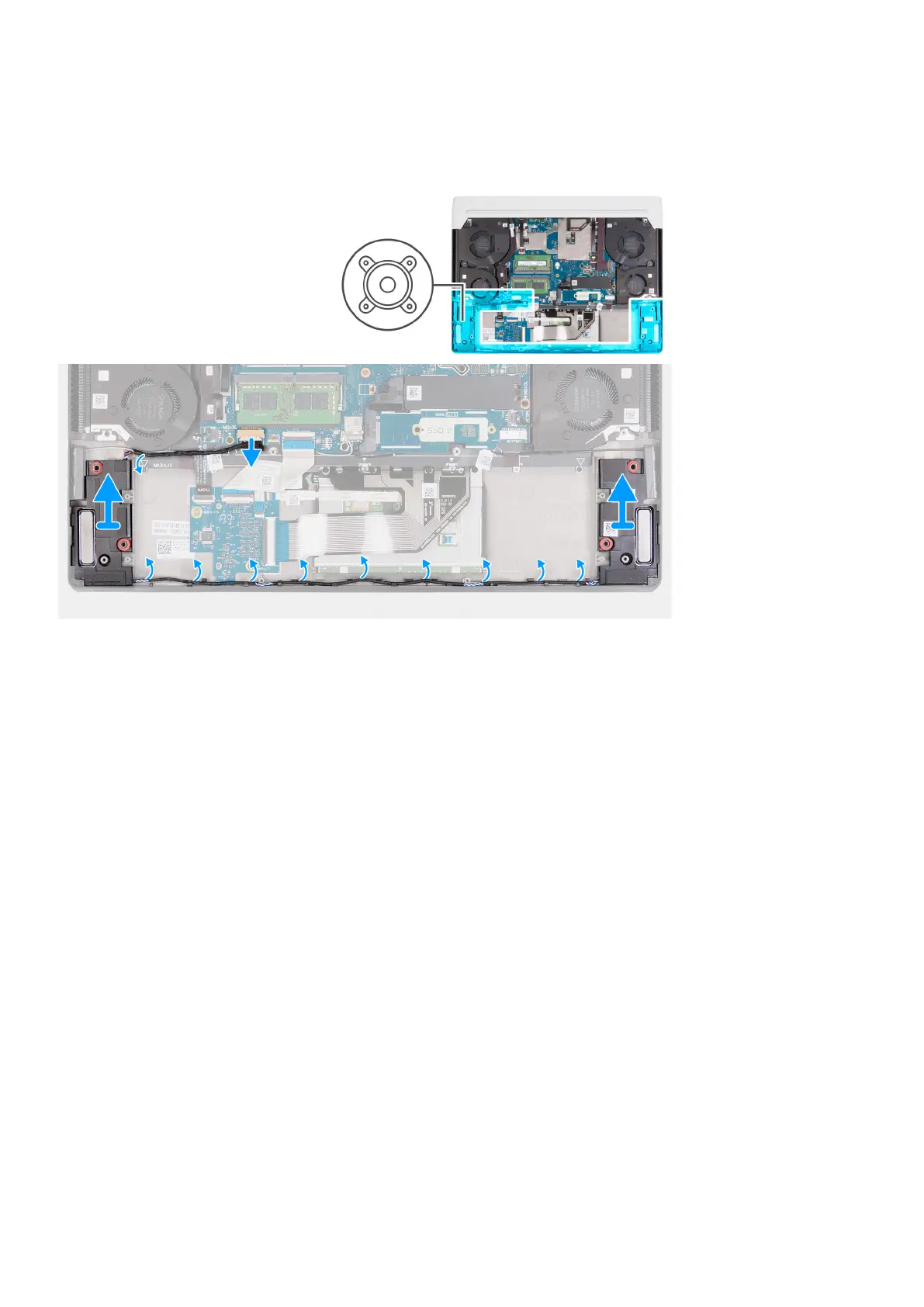
The following image(s) indicate the location of the speakers and provides a visual representation of the removal procedure.
Steps
1. Disconnect the speaker cable from the system board.
2. Remove the speaker cables from the routing guides on the palm-rest and keyboard assembly.
3. Lift the speakers along with their cables off the palm-rest and keyboard assembly.
Installing the speakers
Prerequisites
If you are replacing a component, remove the existing component before performing the installation process.
About this task
The following image(s) indicate the location of the speakers and provides a visual representation of the installation procedure.
Removing and installing components
35









 To Next Page