Operating the monitor | 37
Menu submenus Description
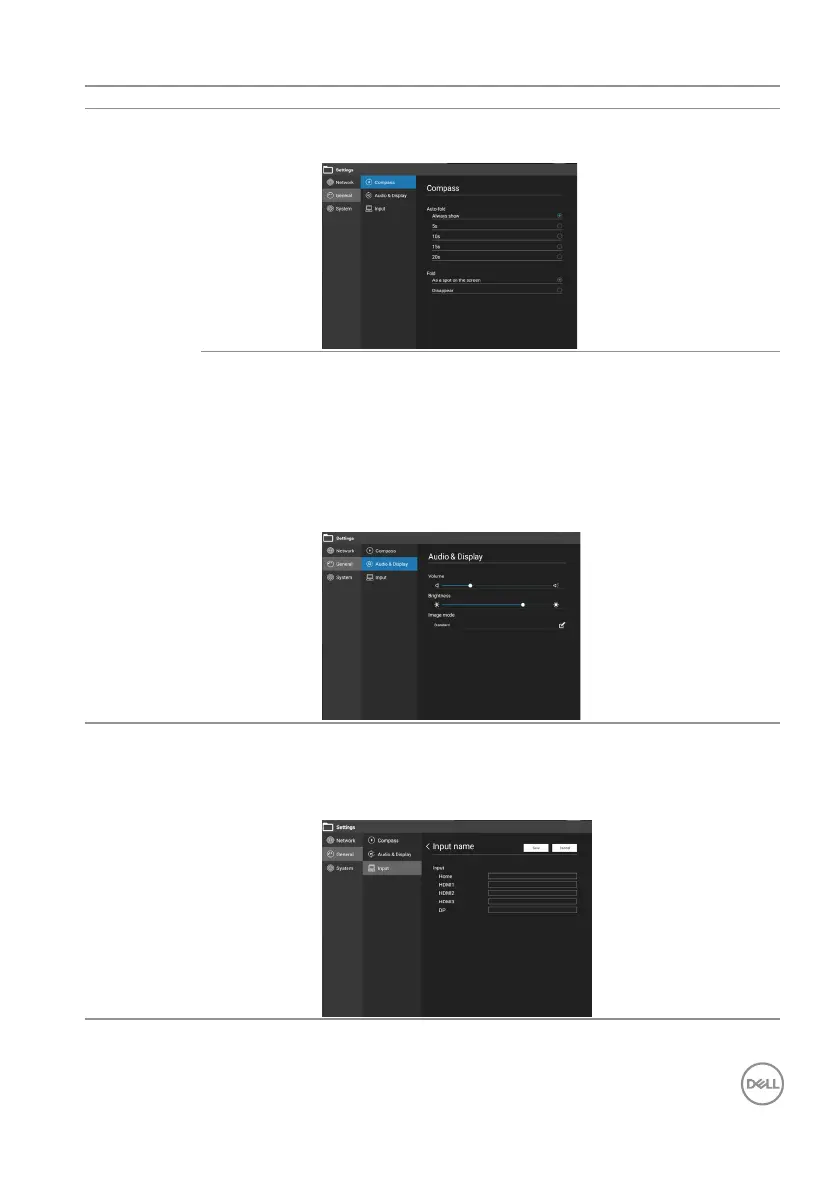
General Compass Auto-fold: Always/5/10/15/20 seconds.
Fold: As a spot on the screen/disappear.
Audio &
Display
Volume: Adjust to increase or decrease the audio
output level.
Brightness: Adjust the overall image and backlight.
Image mode: The value can’t be changed. It will
auto change to Custom mode when Contrast or
Saturation changed. Image mode only works with
HDMI, DP source.
Input Input name: Click the input box, customize the
channel name, modify the name, click “Save”, the
corresponding channel name of the system will be
modied simultaneously.











 To Next Page