38 | Operating the monitor
Menu submenus Description
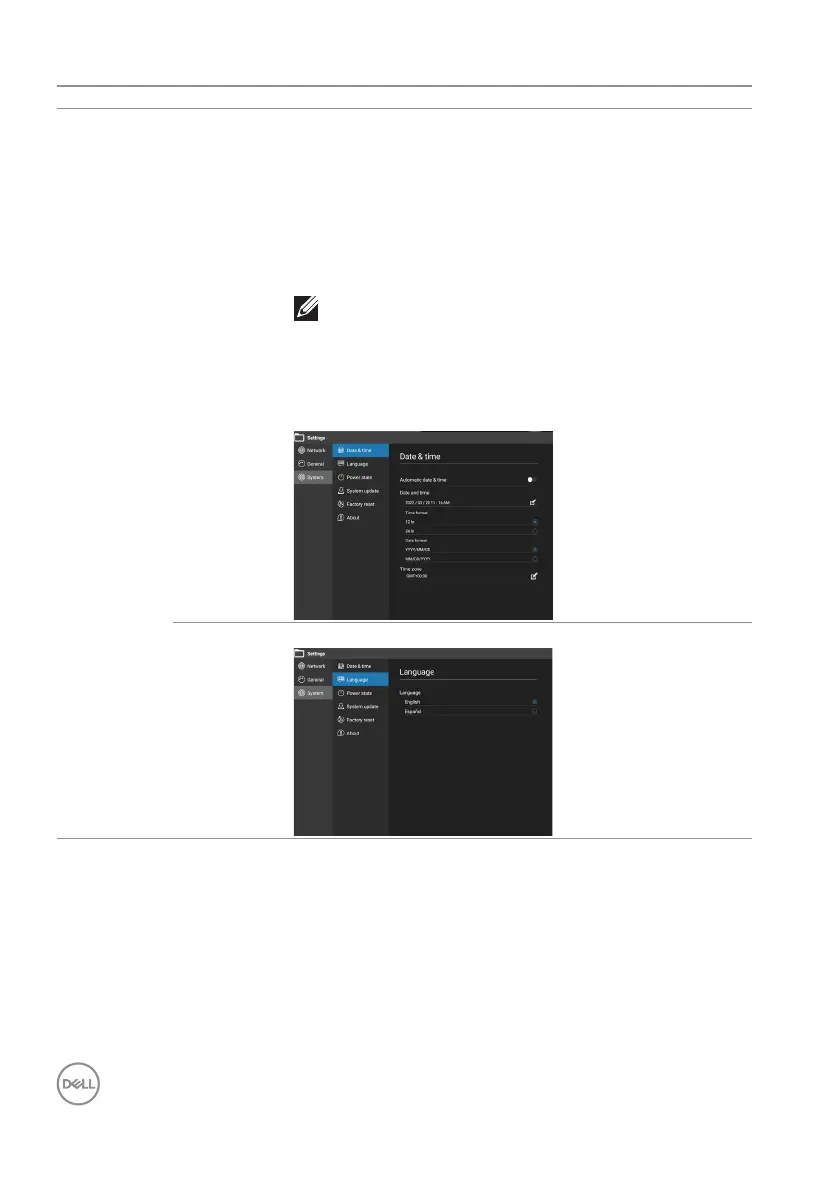
System Date & time Automatic date & time: Sync date and time from
network.
Date and time: Depends on the Automatic date &
time: 1. You can get three time from network when
turns on.
2. You need to press the icon to modify the time when
turns o.
NOTE: Automatic date&time is sync with
Time Zone, not follow user location.
Time format: 12 hr or 24 hr.
Date format: YYYY/MM/DD or MM/DD/YYYY.
Time zone: Choose Time zone.
Language Language: English, Español











 To Next Page