40 | Operating the monitor
Menu submenus Description
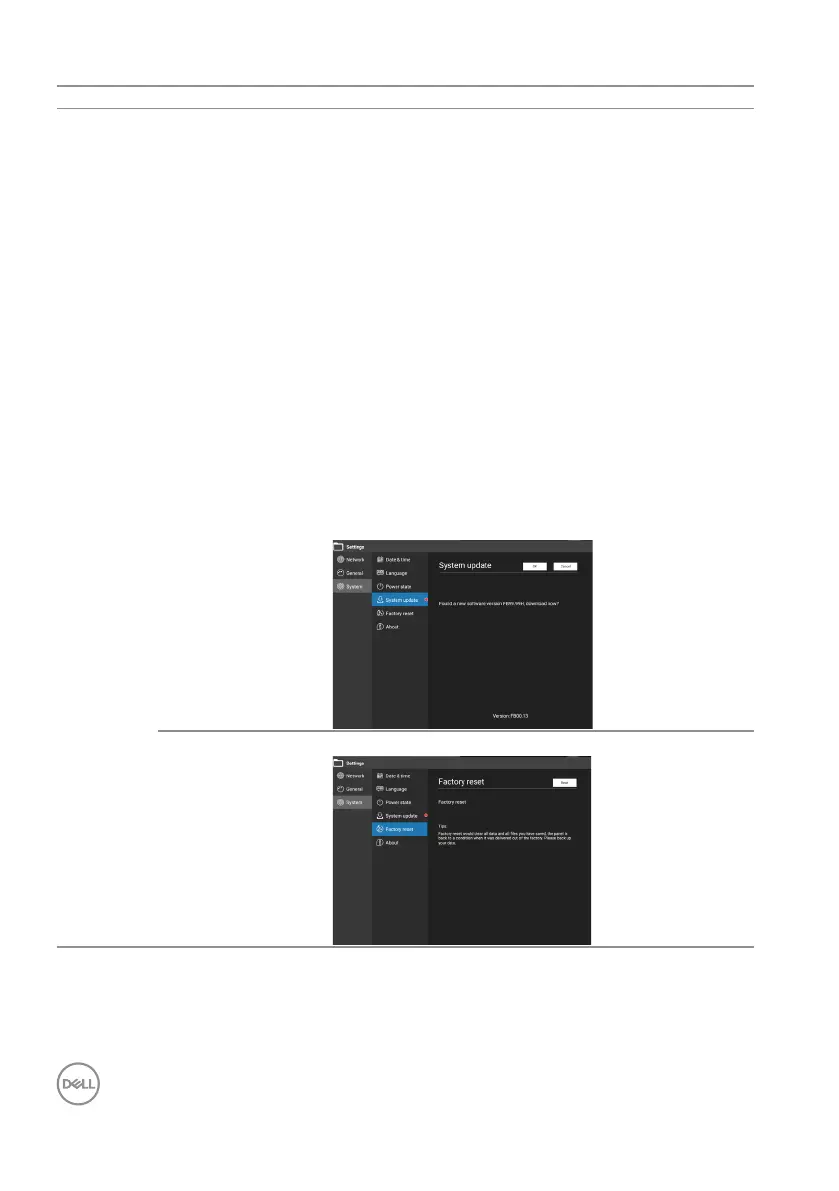
System update System will check for update when open Settings
and system is connected to Internet.
If no new software is available,
“Congratulations! You are using the newest
version of software.”
If the new software version is found, “Found new
software version FBXX XX, download now?”
is displayed, the buttons are “OK” and “Cancel”
and a red dot appears next to the System
update until the system is updated.
If not connected to the Internet, the message
“Cannot connect to the network, please
check the network connection.” is displayed.
Choose the buttons “Close” and “Retry” to
conrm.
Version: FBXX.XX: Show system software
version.
Factory reset Allows you to perform factory reset.











 To Next Page