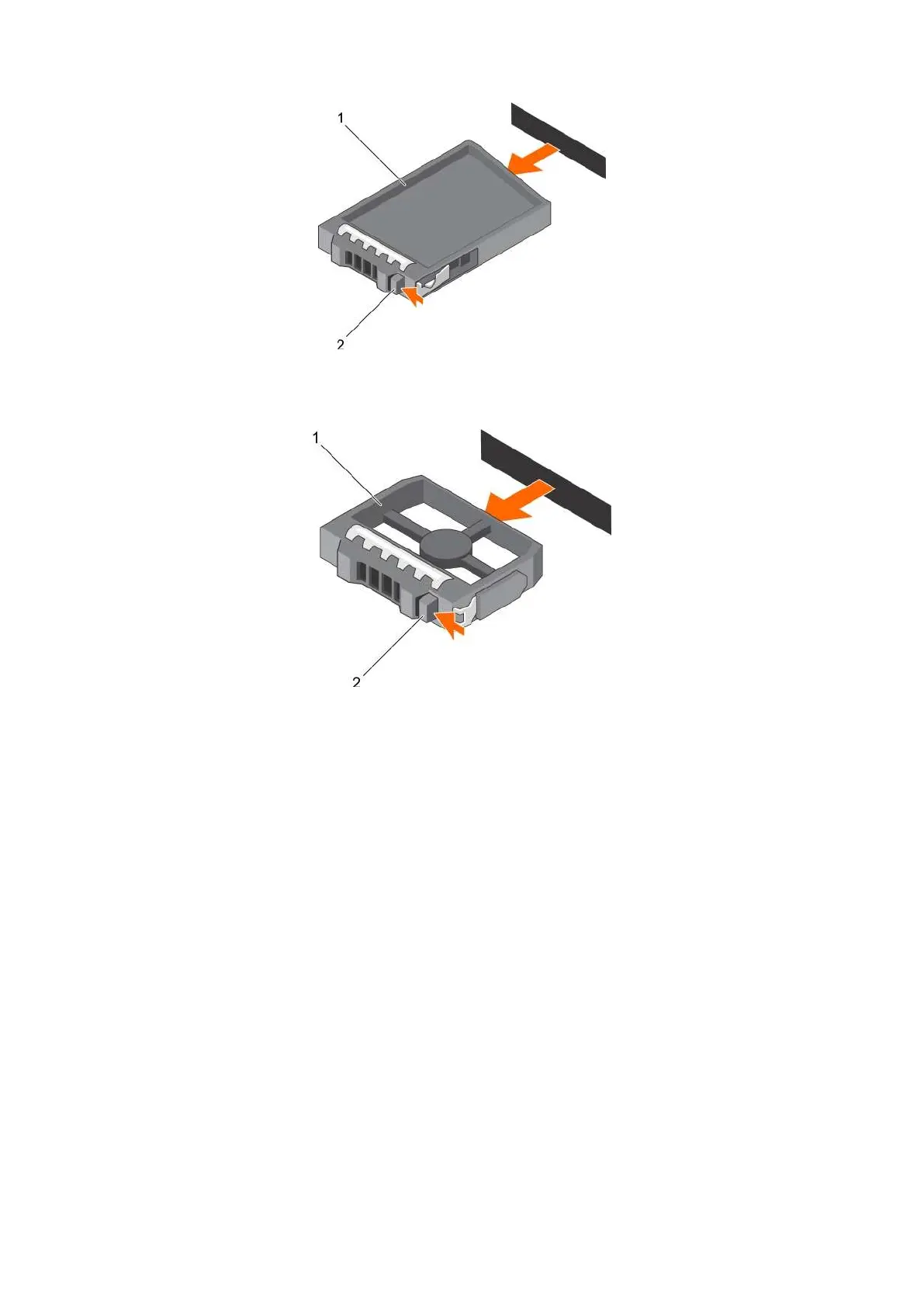
Figure 31. Removing a 2.5 inch hard-drive blank
a. hard-drive blank
b. release button
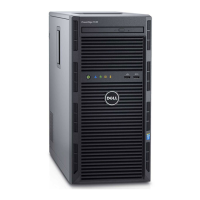
Figure 32. Removing a 3.5 inch hard-drive blank
a. hard-drive blank
b. release button
Installing a hard-drive blank
Prerequisites
1. Follow the safety guidelines listed in the Safety instructions section.
2. If installed, remove the front bezel.
Steps
Insert the hard-drive blank into the hard-drive slot until the release button clicks into place.
Installing and removing system components 89


 To Next Page