140 Troubleshooting
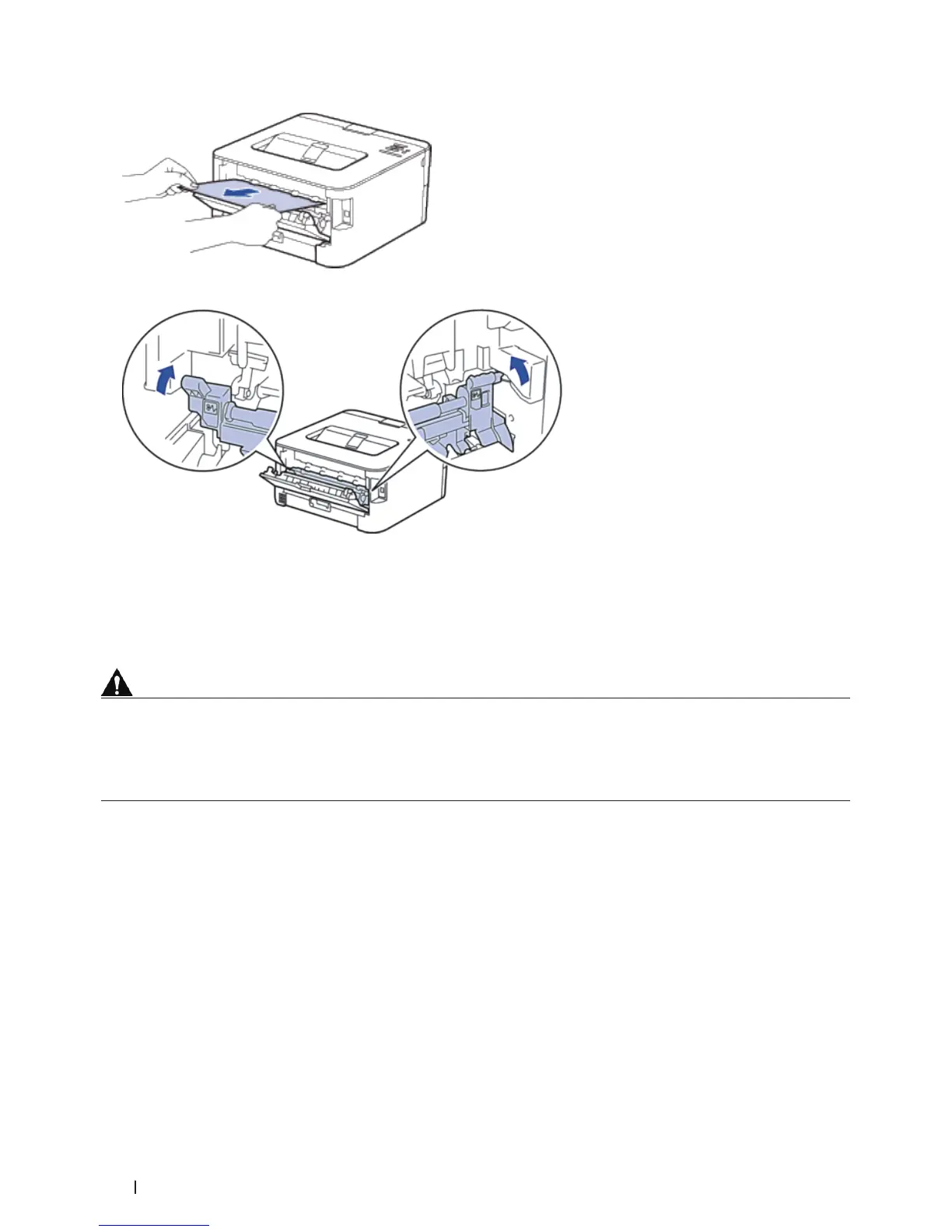
5. Close the fusing unit cover. Make sure the black tabs at the left and right sides lock into place.
6. Close the back cover until it locks in the closed position.
Paper is Jammed inside the Machine
If the machine's control panel or the Status Monitor (for Macintosh only) displays there is a jam inside the machine,
do the following steps.
CAUTION
Do not attempt to remove a paper jammed deeply inside the product, particularly a paper wrapped around a heat
roller. Otherwise, it may cause injuries or burns, and even worse, may generate smoke if you keep operating the
product with a paper jammed. Switch off the product promptly and contact your local Dell representative for more
information.
1. Leave the machine turned on for 10 minutes for the internal fan to cool the extremely hot parts inside the
machine.
2. Open the front cover.


 To Next Page