89Network
Protected Setup
™
(WPS)
If your wireless LAN access point/router supports WPS, you can use the Personal Identification Number (PIN)
Method to configure your wireless network settings.
The PIN Method is one of the connection methods developed by the Wi-Fi Alliance
®
. By submitting a PIN created
by an Enrollee (your machine) to the Registrar (a device that manages the wireless LAN), you can set up the wireless
network and security settings. For more information on how to access WPS mode, see the instructions provided
with your wireless access point/router.
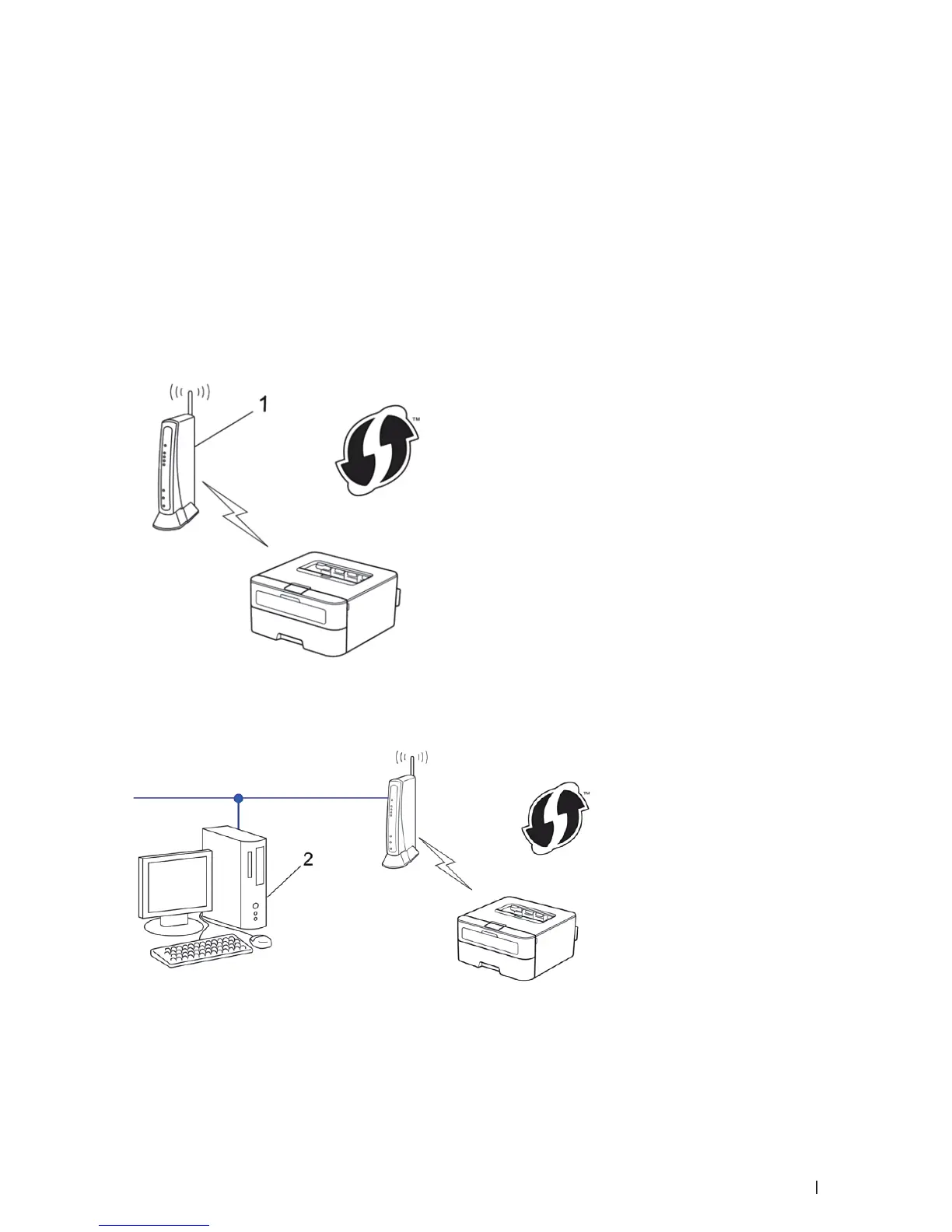
Two Wireless Network Connection Types Using the PIN Method of Wi-Fi Protected Setup
™
(WPS)
Type A
Connection when the wireless LAN access point/router (1) doubles as Registrar.
Type B
Connection when another device (2), such as a computer, is used as Registrar.


 To Next Page