166 Routine Maintenance
Clean the Drum Unit
If your printout has dots or other repeating marks at 3.7 in. (94 mm) intervals, the drum may have foreign material,
such as glue from a label stuck on the drum surface. Follow these steps to solve the problem:
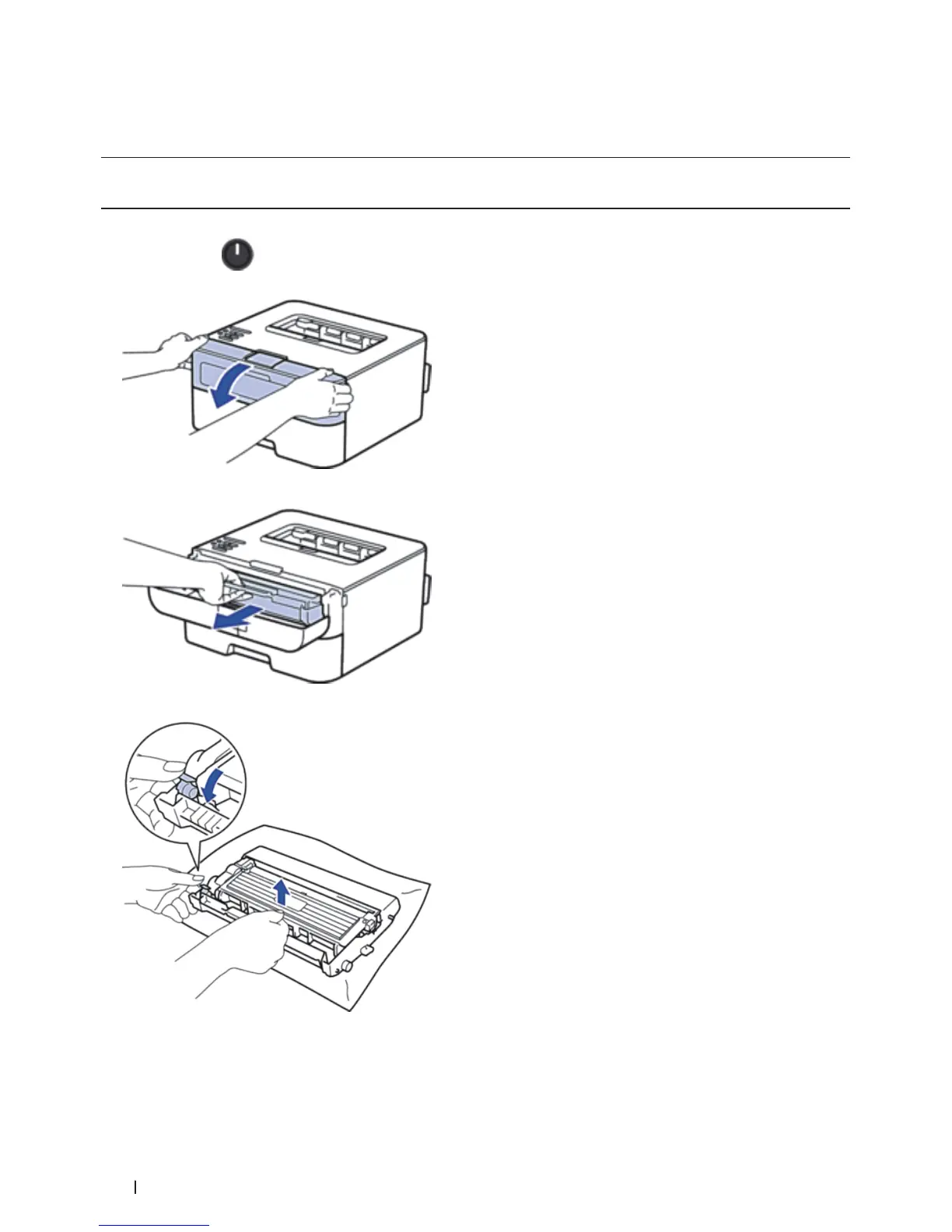
1. Press and hold
to turn off the machine.
2. Open the front cover.
3. Remove the toner cartridge and drum unit assembly from the machine.
4. Push down the lock lever and take the toner cartridge out of the drum unit.
5. Turn the drum unit as shown in the illustration. Make sure that the drum unit gear is on the left side.


 To Next Page