165Routine Maintenance
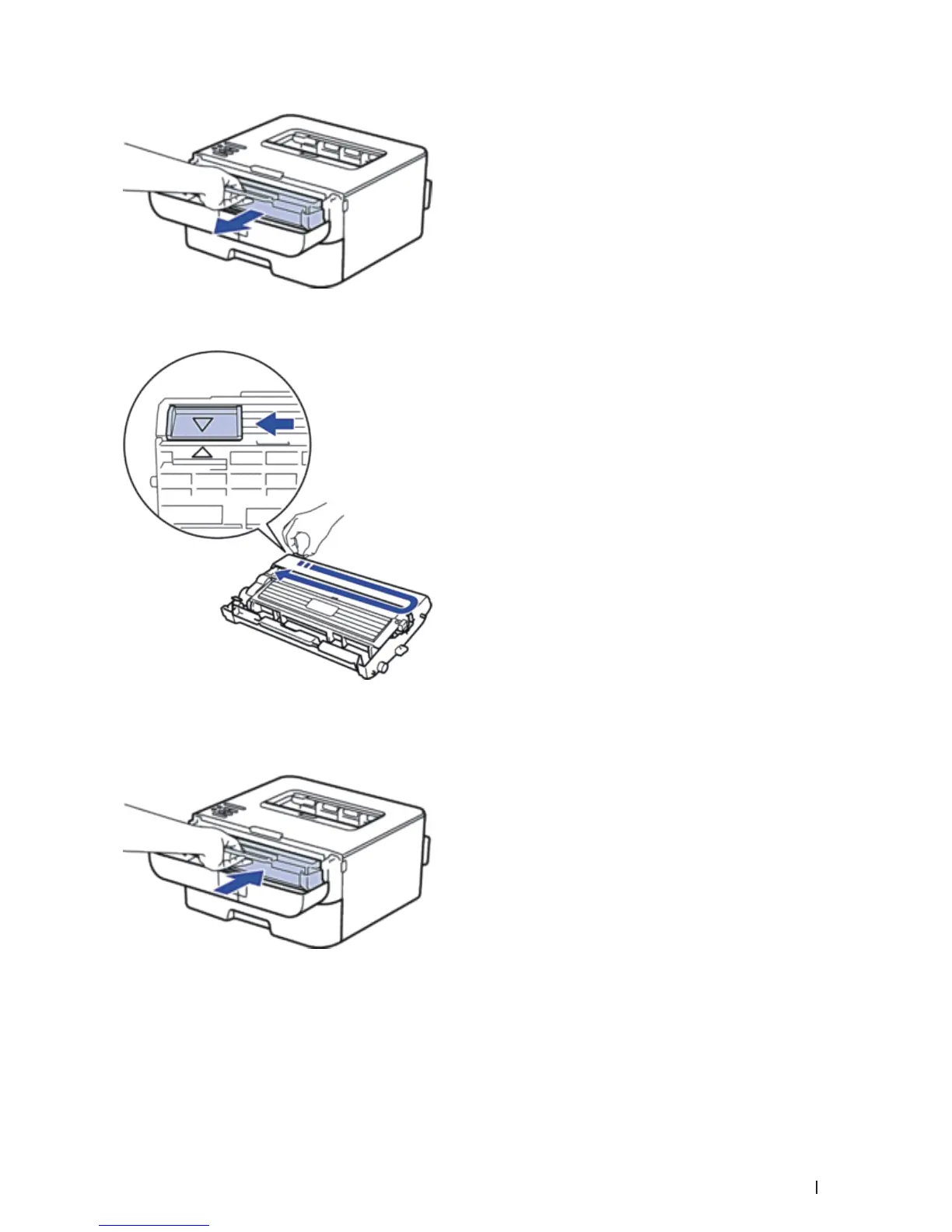
3. Clean the corona wire inside the drum unit by gently sliding the tab from left to right and right to left several
times.
NOTE: Be sure to return the tab to the Home position ( p ). The arrow on the tab must be aligned with the arrow on
the drum unit. If it is not, printed pages may have a vertical stripe.
4. Install the toner cartridge and drum unit assembly back into the machine.
5. Close the front cover of the machine.


 To Next Page