168 Routine Maintenance
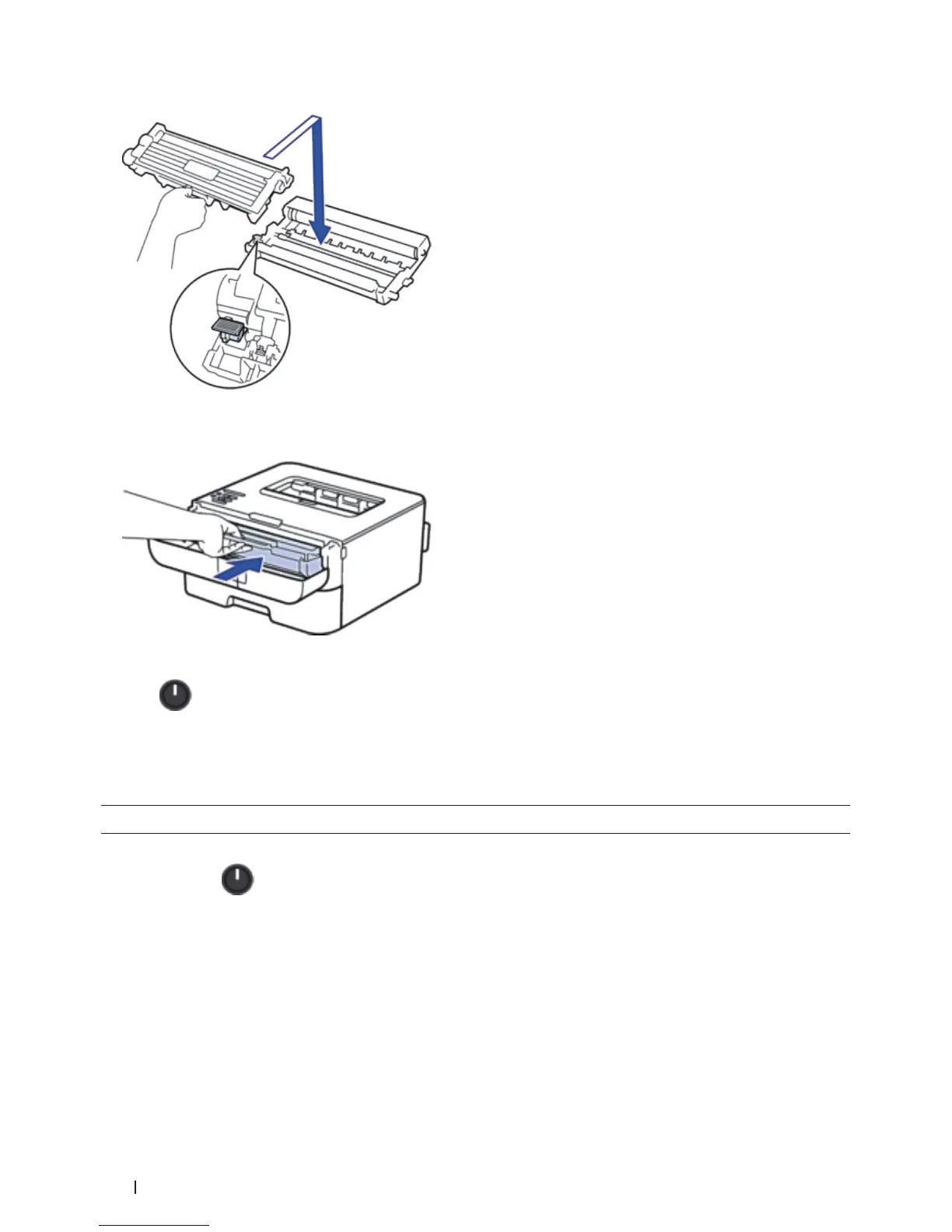
NOTE: Make sure you put the toner cartridge in correctly or it may separate from the drum unit.
9. Install the toner cartridge and drum unit assembly back into the machine.
10. Close the front cover of the machine.
11. Press
to turn on the machine.
Clean the Paper Pick-up Rollers
Cleaning the paper pick-up rollers periodically may prevent paper jams by insuring the proper feeding of paper.
If you have paper feed problems, clean the pick-up rollers as follows:
1. Press and hold
to turn off the machine.
2. Pull the paper tray completely out of the machine.


 To Next Page