167Routine Maintenance
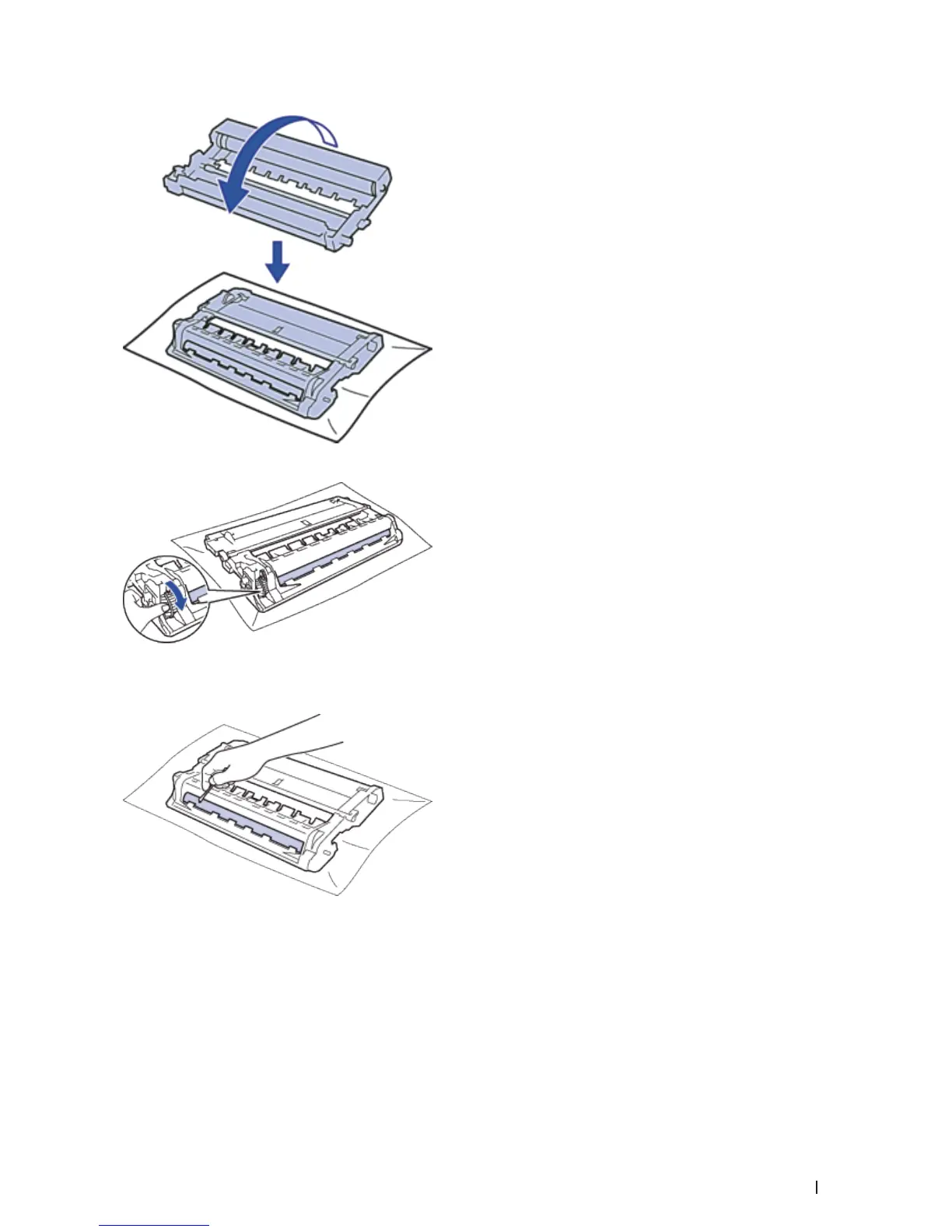
6. Turn the edge of the drum unit toward you by hand while looking at surface of the suspected area.
NOTE: To avoid print quality problems, DO NOT touch the surface of the drum unit except the edge.
7. Wipe the surface of the drum gently with a dry cotton swab until the mark on the surface comes off.
NOTE: DO NOT clean the surface of the photosensitive drum with a sharp object or any liquids.
8. Put the new toner cartridge firmly into the drum unit until you hear it lock into place.


 To Next Page