19Introduction to Your Dell Machine
Introduction to Your Dell Machine
• Front View and Back View
• Control Panel Overview
• Status Messages
• Dell Printer Hub (Windows
®
Only)
Front View and Back View
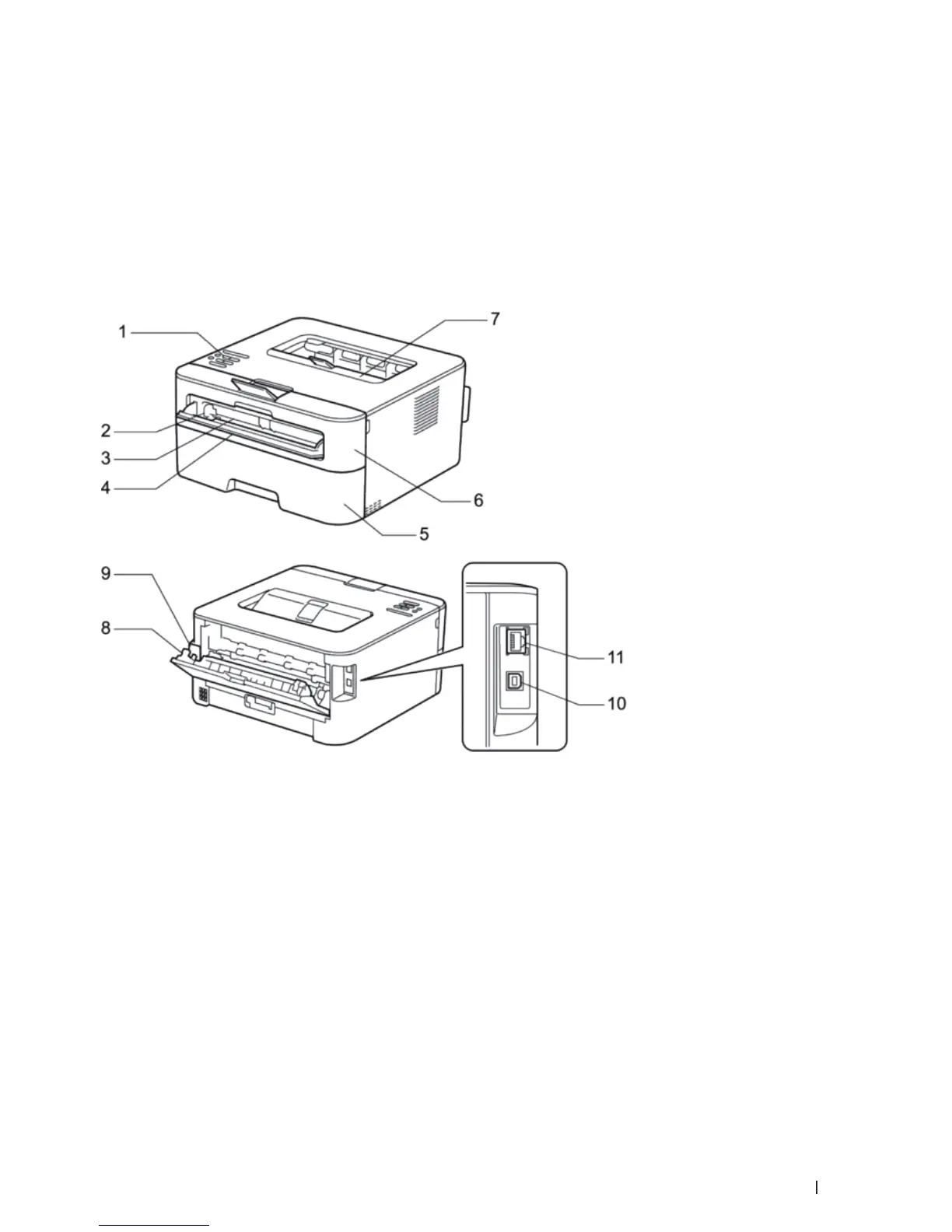
1. Control panel
2. Manual feed paper guide
3. Manual feed slot
4. Manual feed slot cover
5. Paper tray
6. Front cover
7. Face-down output tray
8. Back cover (Face-up output tray)
9. AC power connector
10. USB port
11. Network port
1


 To Next Page