49Print
Option Description
2-sided (available only for certain models)
Automatically prints on both sides of the paper.
2-sided (Manual)
The machine prints all the even-numbered pages on one side
of the paper first. Then, the printer driver instructs you (with a
pop-up message) to reinsert the paper.
5. Click the 2-sided Settings button.
6. Select one of the options from the 2-sided Type menu.
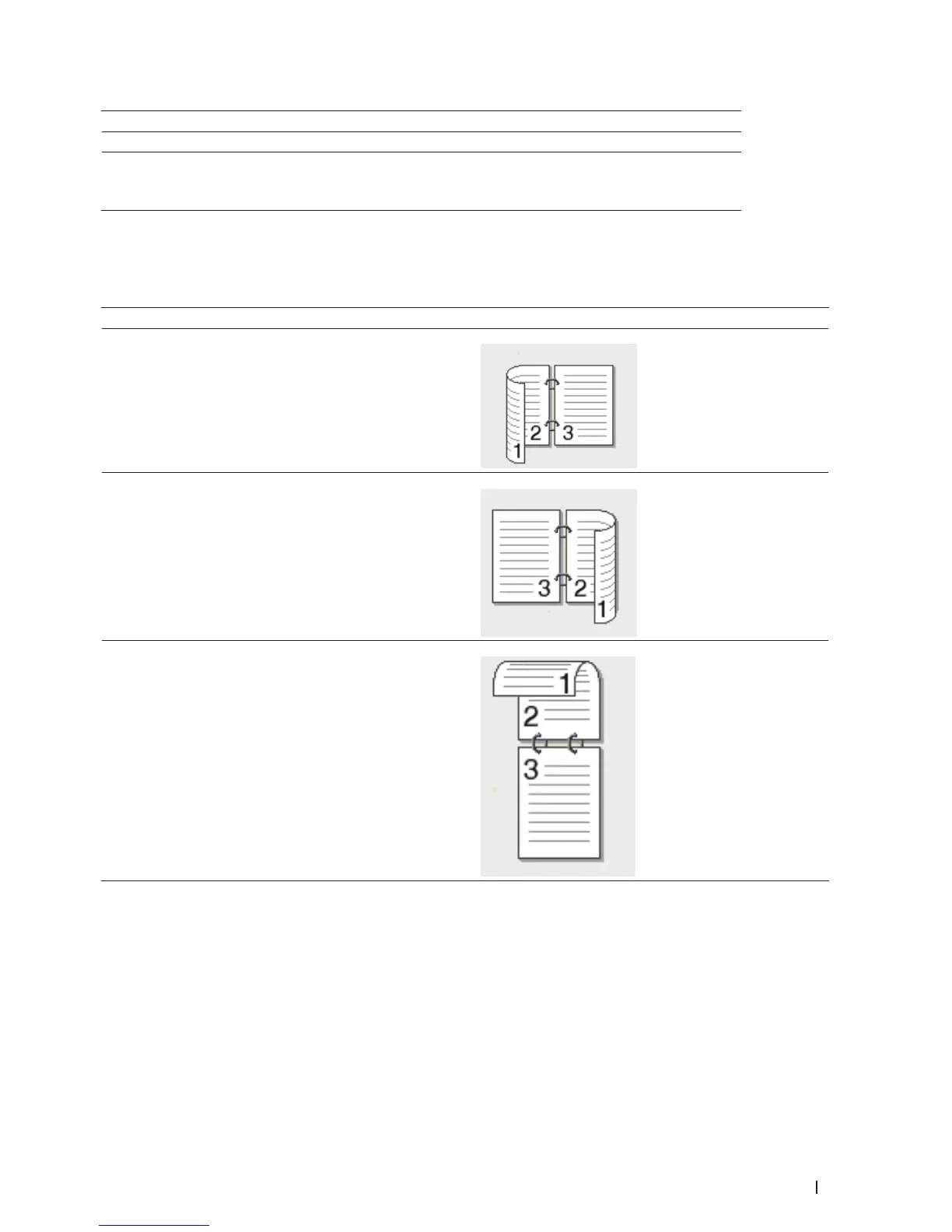
When 2-sided is selected, four types of 2-sided binding are available for each orientation:
Option for Portrait Description
Long Edge (Left)
Long Edge (Right)
Short Edge (Top)


 To Next Page