a. battery
b. base cover
c. keyboard trim
d. keyboard
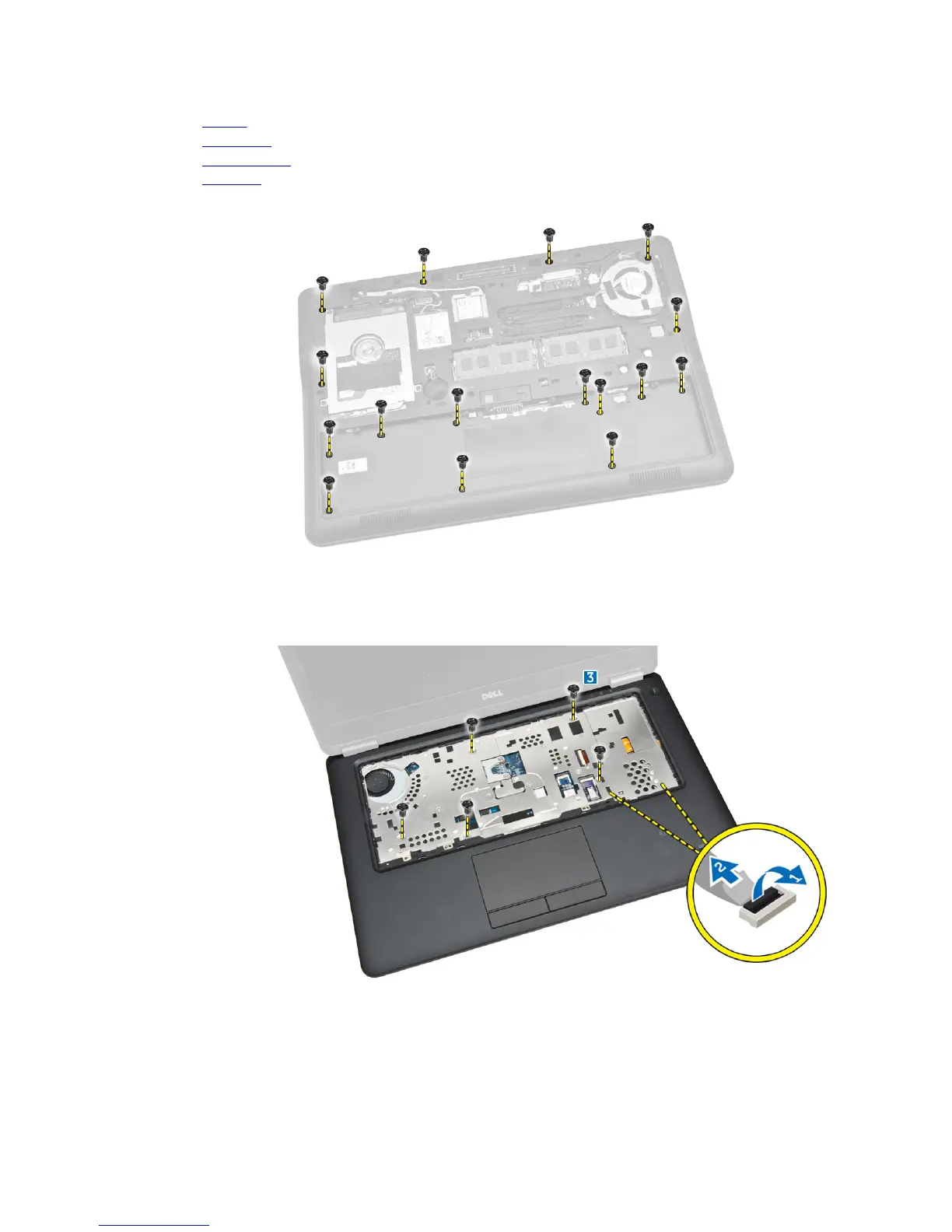
3. Remove the screws that secure the palmrest to the computer.
4. Perform the following steps as shown in the illustration:
a. Flip the computer.
b. Disconnect touchpad and power LED cables from their connectors on the system board [1] [2].
c. Remove the screws that secure palmrest to the computer [3].
5. Perform the following steps as shown in the illustration:
a. Pry the edges of the palmrest assembly [1]
b. Remove the palmrest from the computer [2].
24














 To Next Page