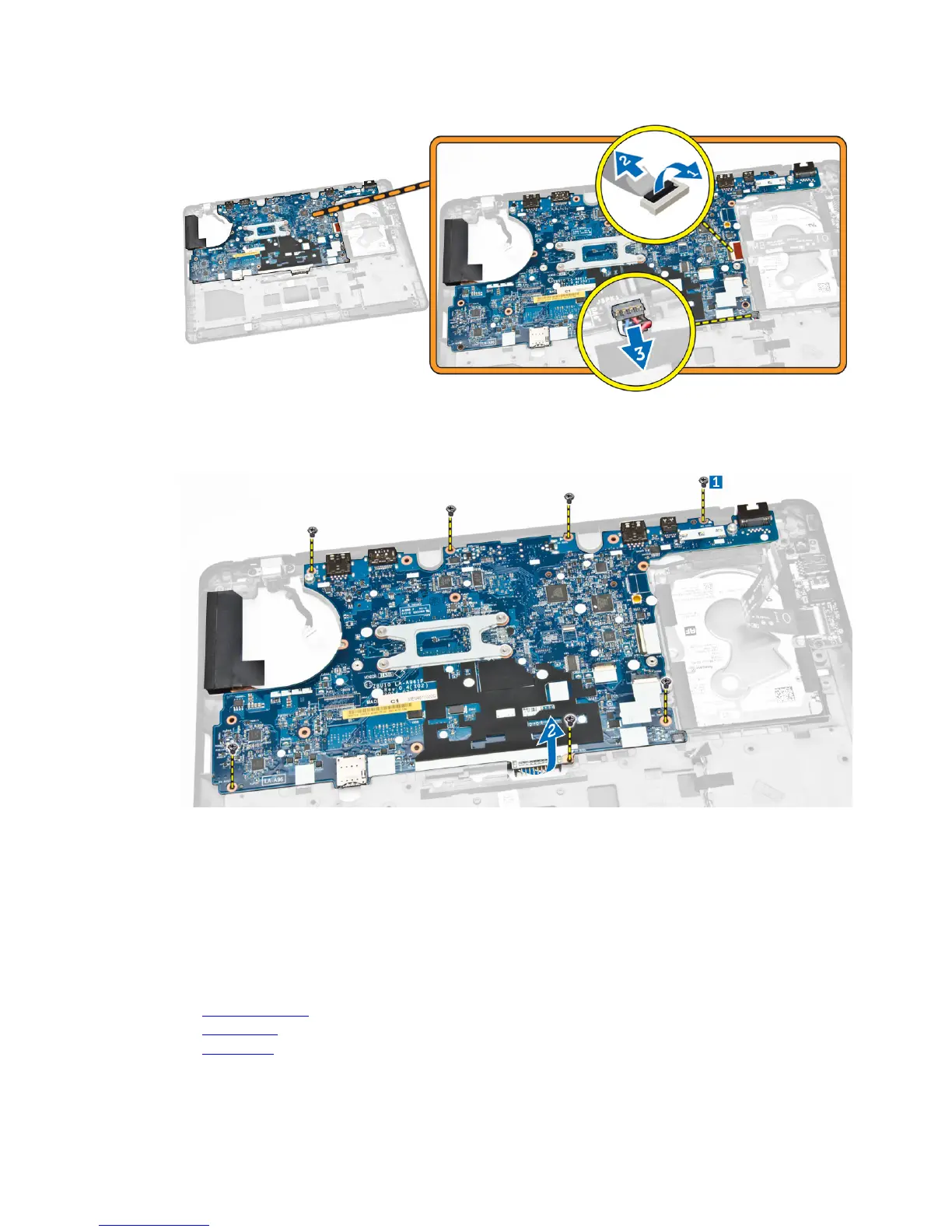
5. Perform the following steps as shown in the illustration:
a. Remove the screws that secure the system board to the computer chassis [1].
b. Remove the system board from the computer chassis [2].
Installing the System Board
1. Place the system board on the computer chassis to align it with the screw holders.
2. Tighten the screws to secure the system board to the computer chassis.
3. Connect the speaker and I/O board cables to their connectors on the system board.
4. Connect the hard-drive cable and power-connector port cable to their connectors on the system
board.
5. Install:
a. display assembly
b. hinge cover
c. WLAN card
32














 To Next Page