4. Place the metal bracket on the display-assembly cable and tighten the screw to secure the display-
assembly cable.
5. Install:
a. palmrest
b. hard drive
c. keyboard
d. keyboard trim
e. base cover
f. battery
6. Follow the procedures in After Working Inside Your computer.
Removing the System Board
1. Follow the procedures in Before Working Inside Your Computer.
2. Remove:
a. battery
b. base cover
c. keyboard trim
d. keyboard
e. hard drive
f. palmrest
g. WWAN card
h. WLAN card
i. hinge cover
j. display assembly
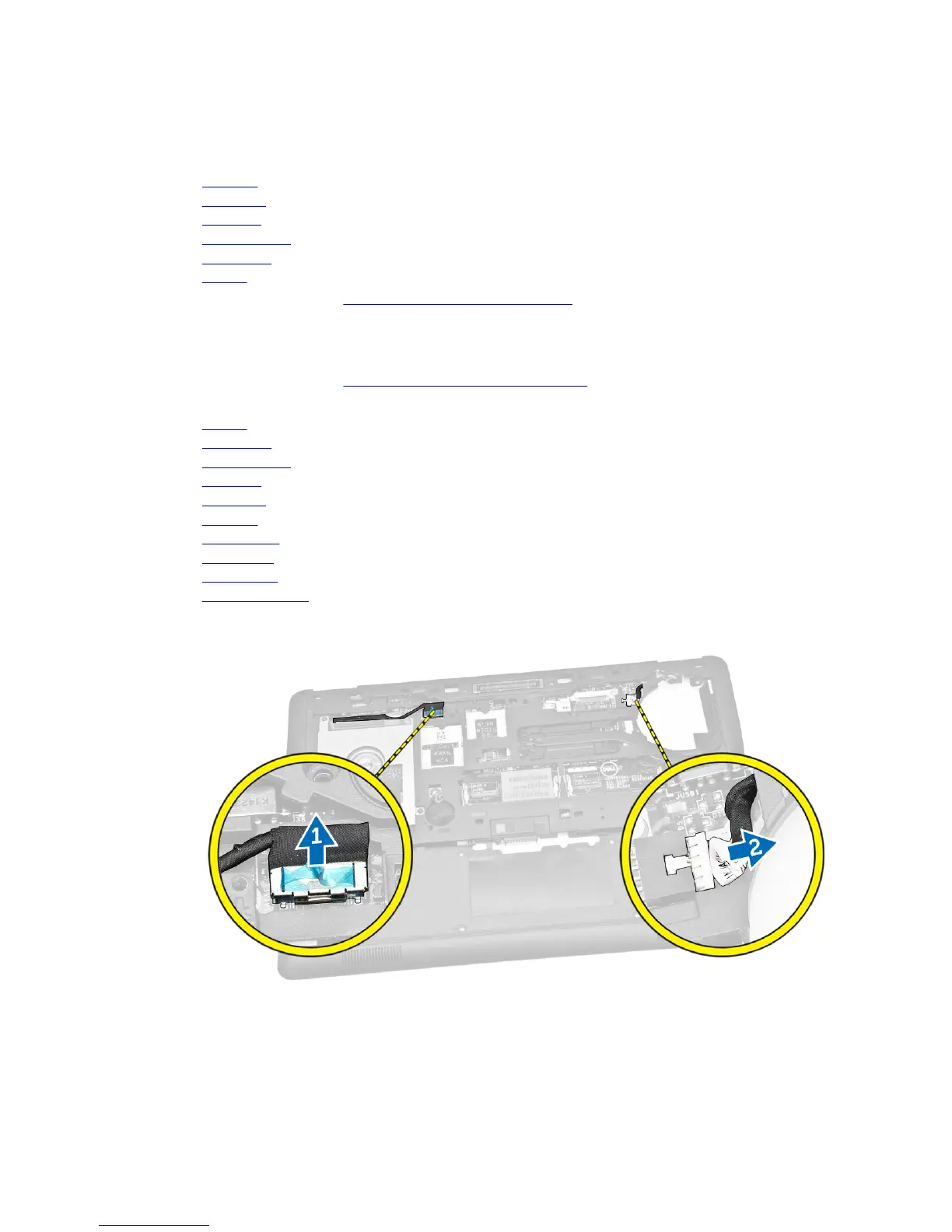
3. Disconnect the hard-drive cable [1] and power-connector port cable [2] from their connectors on
the system board.
4. Disconnect the speaker cable [1] [2]and I/O board cable [3] from their connectors on the system
board.
31














 To Next Page