About this task
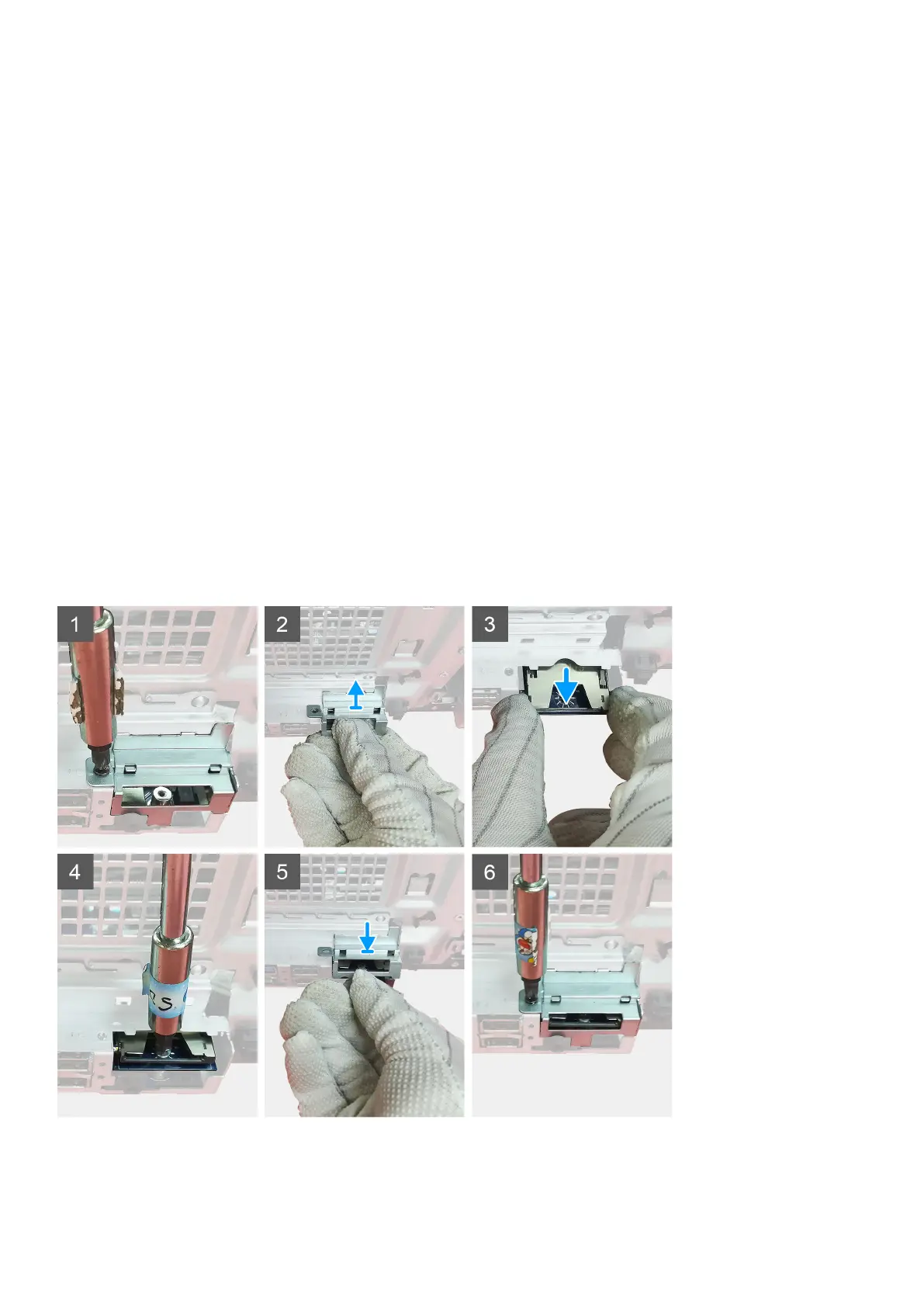
The following images indicate the location of the SD card reader and provide a visual representation of the removal procedure.
Steps
1. Remove the (M3x3) screw and open the metal bracket securing the SD card reader slot.
2. Remove the (M2x3.5) screw that secures the card reader to the SD card slot.
3. Slide and remove the SD card reader from the connector on the system board.
Installing the SD card reader
Prerequisites
If you are replacing a component, remove the existing component before performing the installation procedure.
About this task
The following image indicates the location of the SD card reader and provides a visual representation of the installation procedure.
Steps
1. Remove the cables above the SD card connector on the system board.
Disassembly and reassembly
39














 To Next Page