2. Lift the processor fan from the heat-sink.
3. Remove the two screws that secure the metal plate to the processor fan.
4. Lift the metal plate away from the processor fan.
Installing the processor fan
Prerequisites
If you are replacing a component, remove the existing component before performing the installation procedure.
About this task
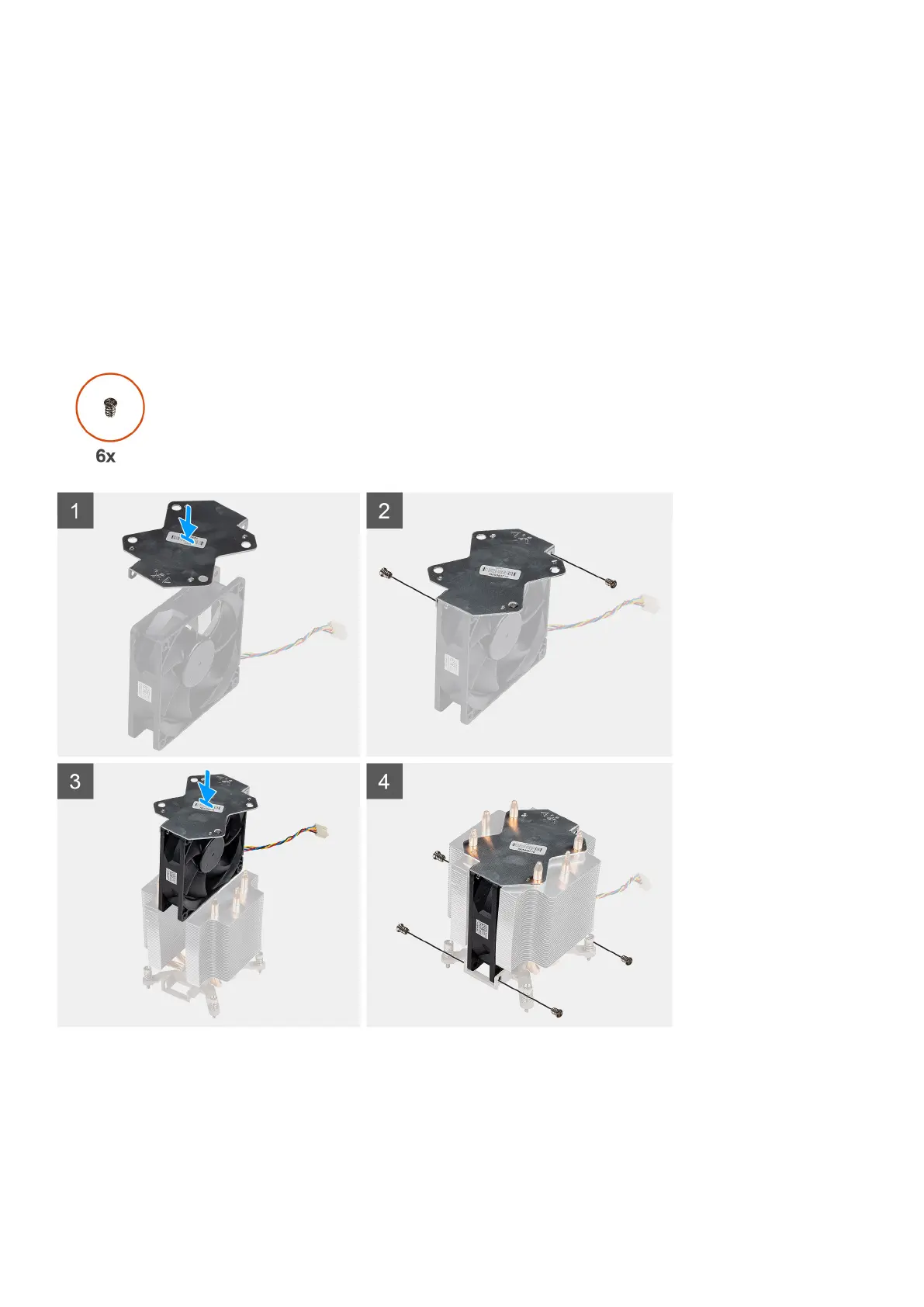
The following images indicate the location of the processor fan and provide a visual representation of the removal procedure.
Steps
1. Align and place the heat-sink metal plate above the processor fan and replace the two screws to secure the metal plate to the
processor fan.
2. Insert the processor fan into its slot in the heat-sink.
3. Replace the four screws to secure the processor fan to the heat-sink assembly.
42
Disassembly and reassembly














 To Next Page