Processor
Removing the processor
Prerequisites
1. Follow the procedure in before working inside your computer.
2. Remove the side cover.
3. Remove the processor fan and heat-sink assembly.
NOTE: The processor might still be hot after the computer is shut down. Allow the processor to cool down before
removing it.
About this task
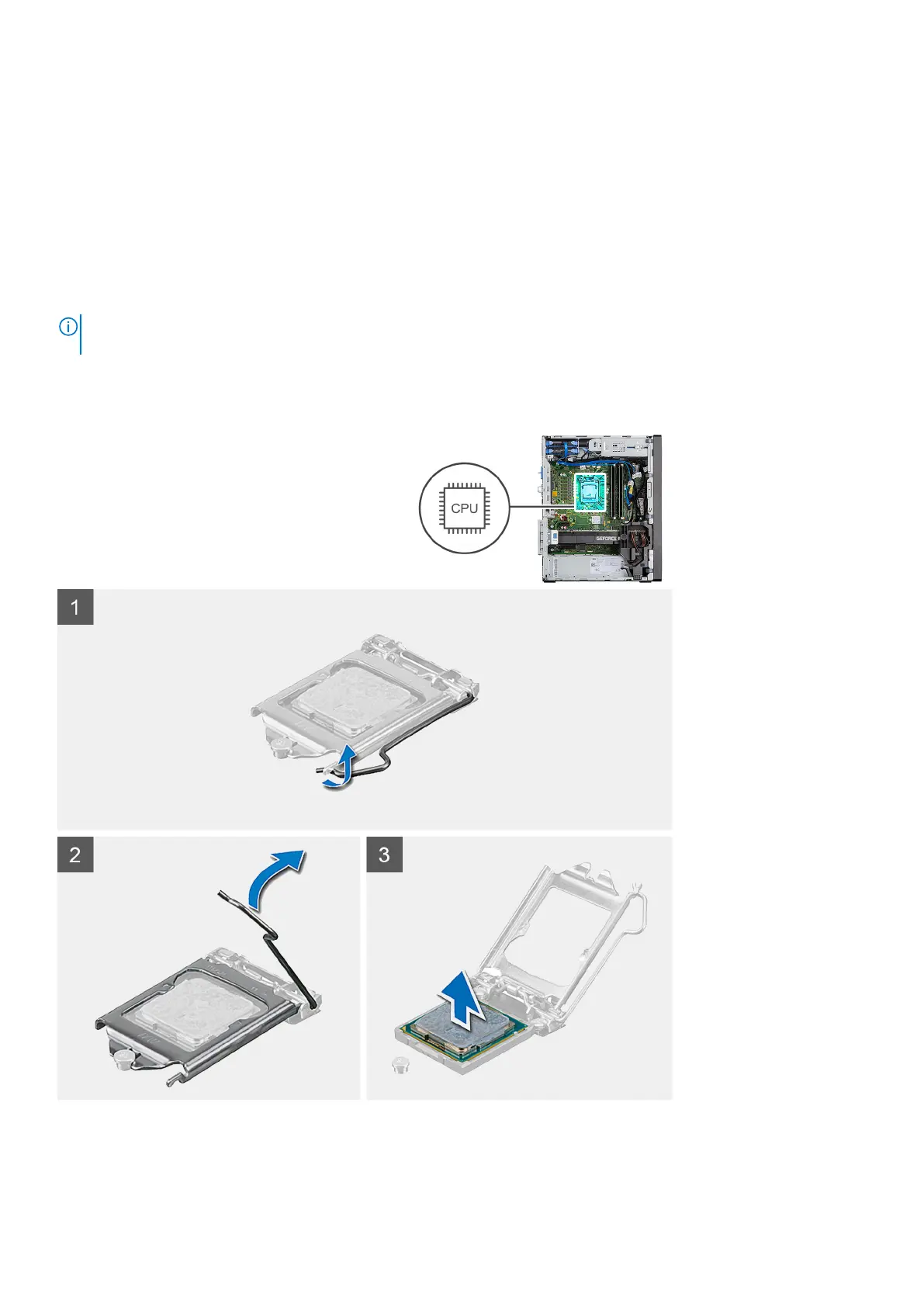
The following images indicate the location of the processor and provide a visual representation of the removal procedure.
Steps
1. Press down and push the release lever away from the processor to release it from the securing tab.
2. Lift the lever upward to lift the processor cover.
46
Disassembly and reassembly














 To Next Page