4. Align the triangles on the powered GPU cable holder with the triangles on the chassis.
5. Place the powered GPU cable holder on the computer chassis until it clicks to place.
6. Route the power cable through the retention tab on the cable holder.
7. Connect the two power cables, through the slot on the cable holder, to the connector on the powered GPU.
Next steps
1. Install the processor fan and heat-sink assembly.
2. Install the side cover.
3. Follow the procedure in after working inside your computer.
Intrusion switch
Removing the intrusion switch
Prerequisites
1. Follow the procedure in before working inside your computer.
2. Remove the side cover.
About this task
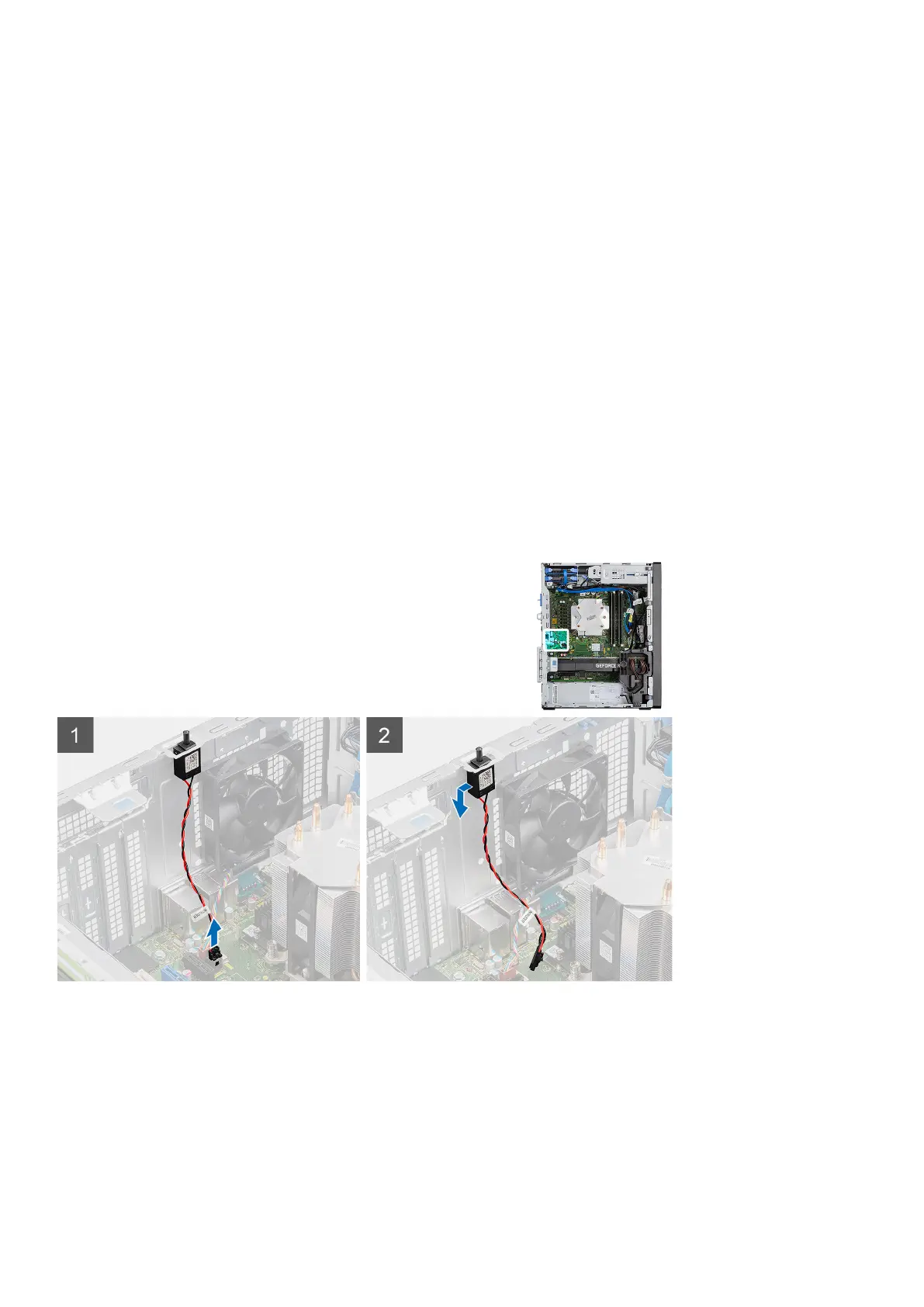
The following images indicate the location of the intrusion switch and provides a visual representation of the removal procedure.
Steps
1. Disconnect the intruder cable from the connector on the system board.
2. Slide and remove the intrusion switch from the chassis.
Disassembly and reassembly
79














 To Next Page