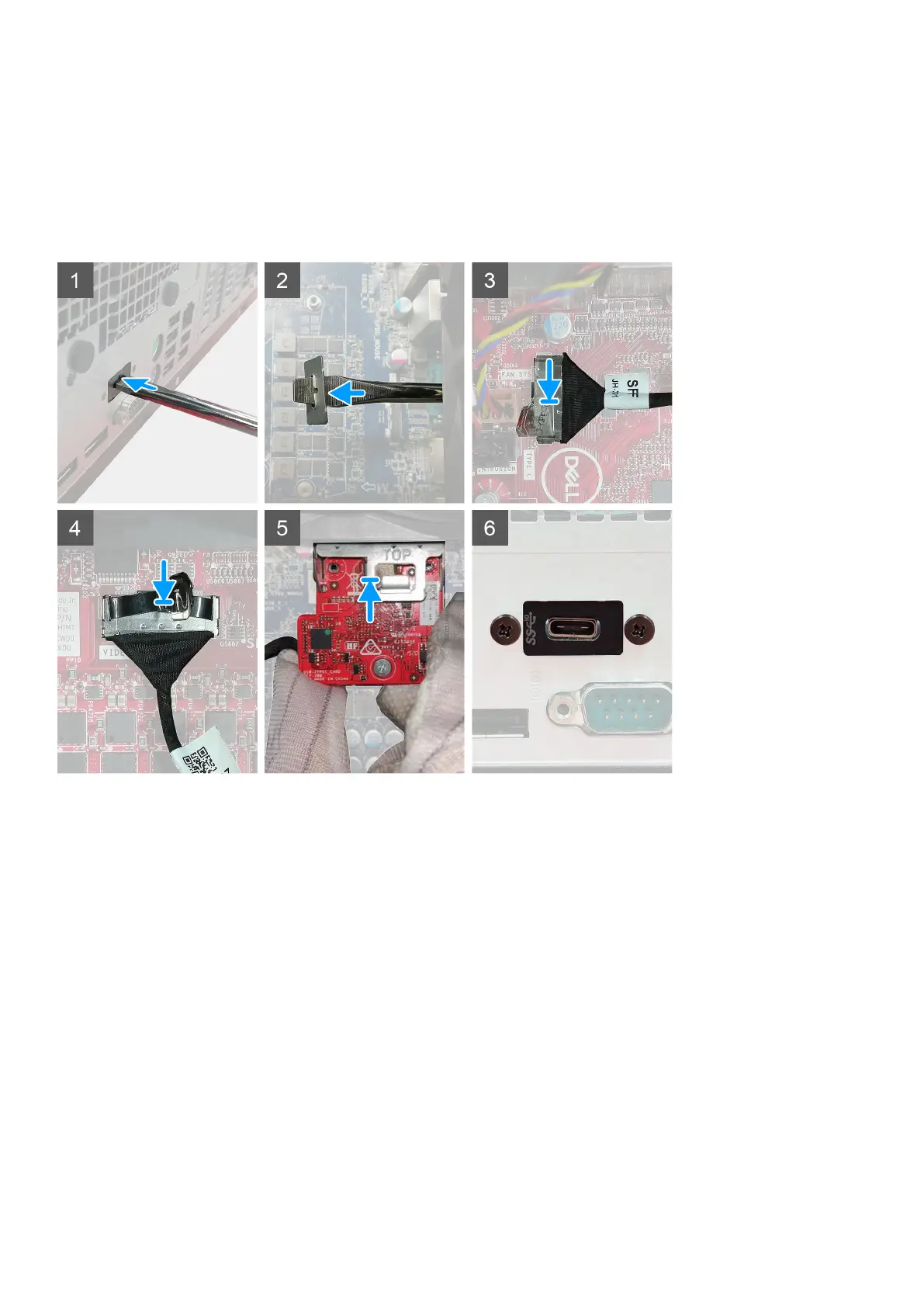
Steps
1. To remove the dummy metal bracket, insert a flathead screwdriver in the hole of the bracket, push the bracket to release the bracket,
and then lift the bracket out from the system.
2. Insert the optional I/O module (Type-C/HDMI/VGA/DP/Serial) into its slot from the inside of your computer.
3. Connect the I/O cable to the connector on the system board .
4. Replace the two (M3X3) screws to secure the optional I/O module to the system.
Next steps
1. Install the chassis fan.
2. Install the front bezel.
3. Install the side cover.
4. Follow the procedure in after working inside your computer.
84
Disassembly and reassembly














 To Next Page